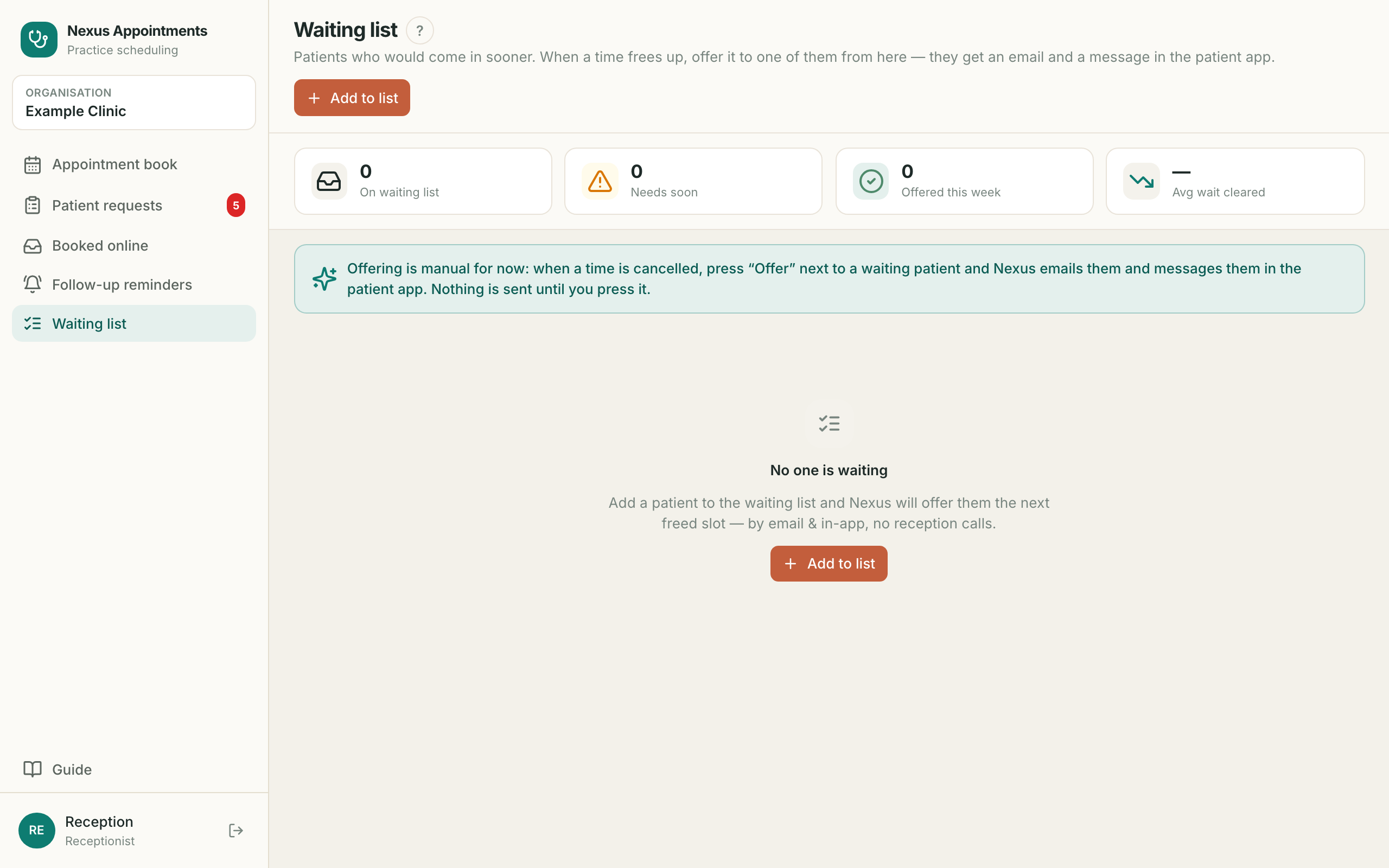
1. Sign in سائن اِن کریں
- ?Your own login. Never share it — the system records who did whatآپ کا اپنا لاگ اِن۔ کسی کو نہ دیں — سسٹم ریکارڈ رکھتا ہے
- 1Open pk-appointments.nexushealth.org.ukاس پتے پر جائیں
- 2Type your email and passwordای میل اور پاس ورڈ لکھیں
- 3Forgot it? Press Forgot passwordبھول جائیں تو Forgot password دبائیں
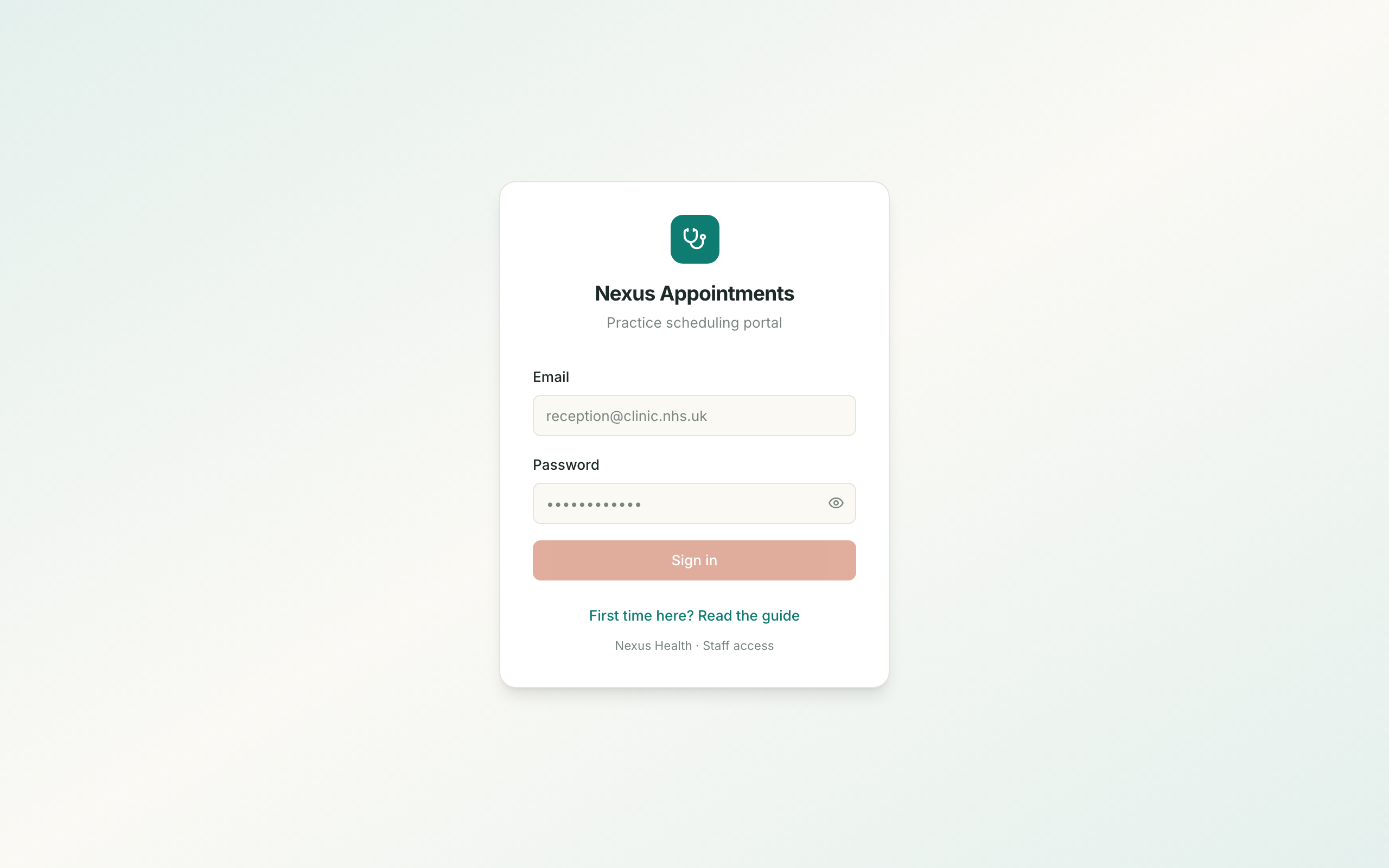
2. The day in front of you آج کا دن
- ?For seeing and running one day at a timeایک دن کو دیکھنے اور چلانے کے لیے
- 1It opens on todayیہ آج کے دن پر کھلتا ہے
- 2Change the date at the top for another dayدوسرے دن کے لیے اوپر تاریخ بدلیں
- 3The top line counts who is booked and what is still freeاوپر کی لائن بتاتی ہے کتنے بُک ہیں اور کیا خالی ہے
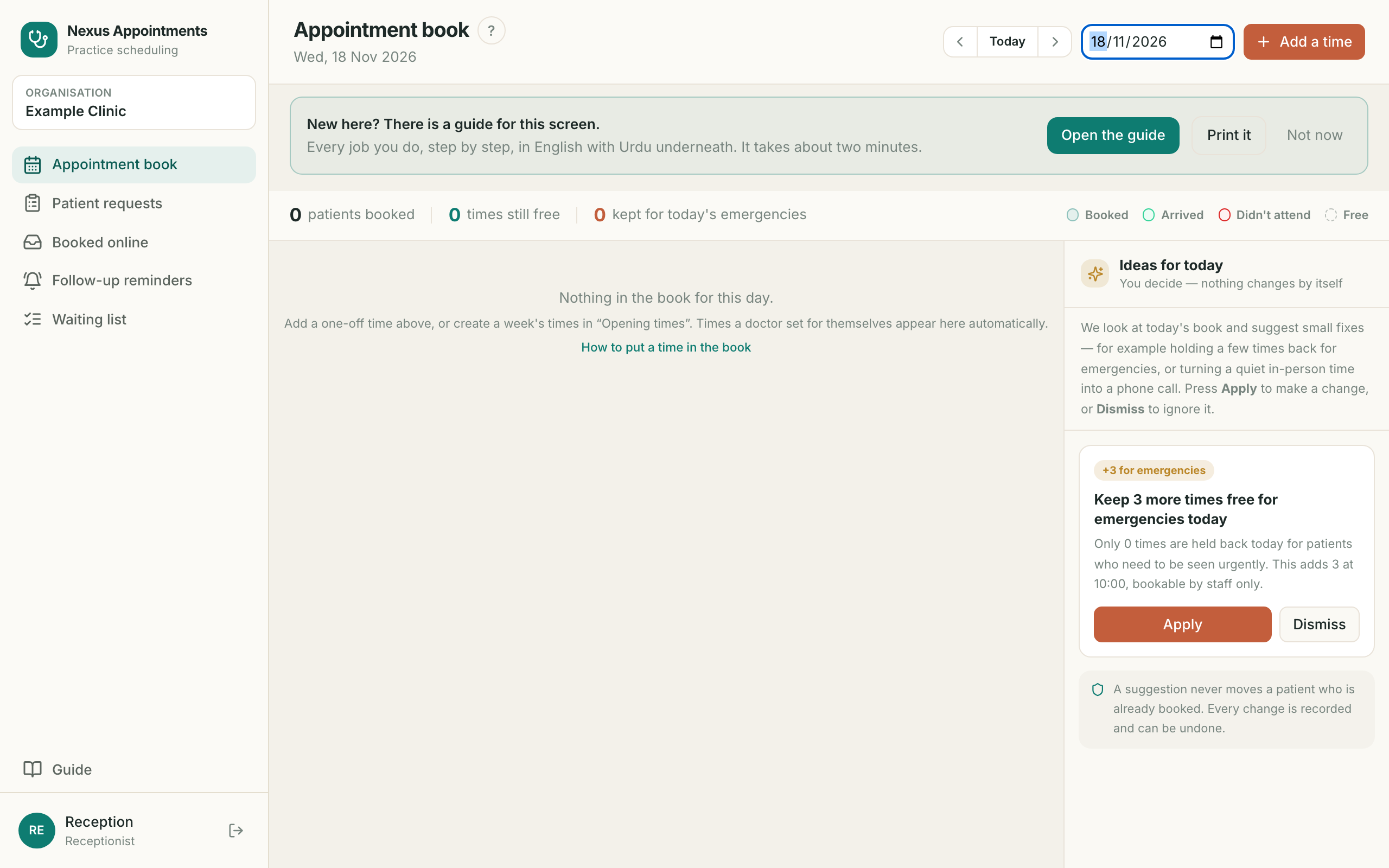
3. Put a time in the book بُک میں وقت شامل کریں
- ?For adding a one-off time the doctor’s normal hours do not coverایسا وقت شامل کرنے کے لیے جو معمول کے اوقات میں نہیں
- 1Press Add a timeAdd a time دبائیں
- 2Choose the time and how long it takesوقت اور دورانیہ منتخب کریں
- 3Press Add slotAdd slot دبائیں
4. Book a patient in مریض کی بُکنگ کریں
- ?For putting a patient into a free timeمریض کو خالی وقت میں رکھنے کے لیے
- 1Click the free time, then Book a patientخالی وقت پر کلک کریں، پھر Book a patient
- 2Type their name or phone numberنام یا فون نمبر لکھیں
- 3Not found? Press Add new patientنہ ملے تو Add new patient دبائیں
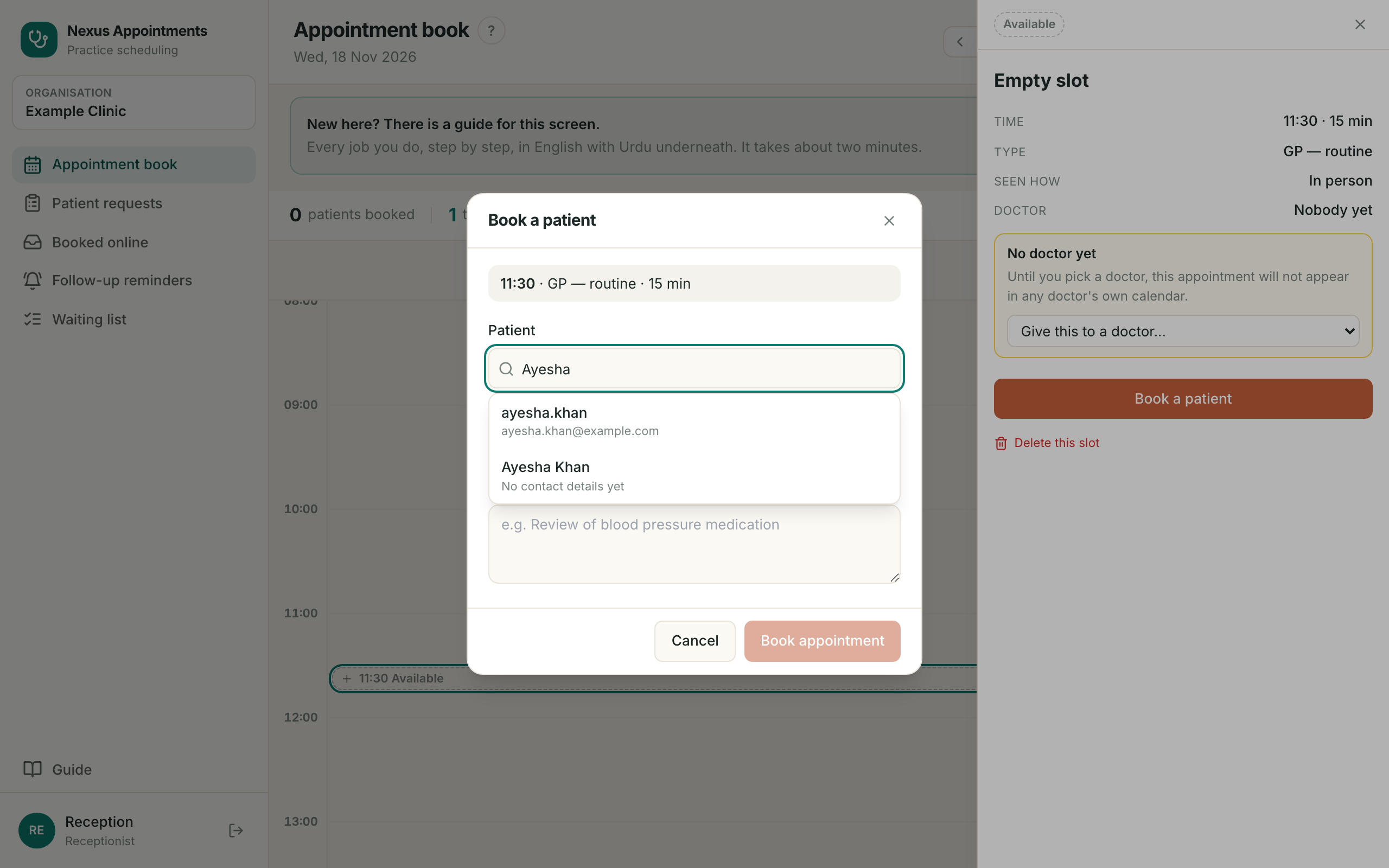
5. Finish the booking بُکنگ مکمل کریں
- ?The reason you write here is what the practitioner sees firstیہاں لکھی وجہ ڈاکٹر سب سے پہلے دیکھتا ہے
- 1Click the patient’s nameمریض کے نام پر کلک کریں
- 2Write why they are comingآنے کی وجہ لکھیں
- 3Press Book appointmentBook appointment دبائیں
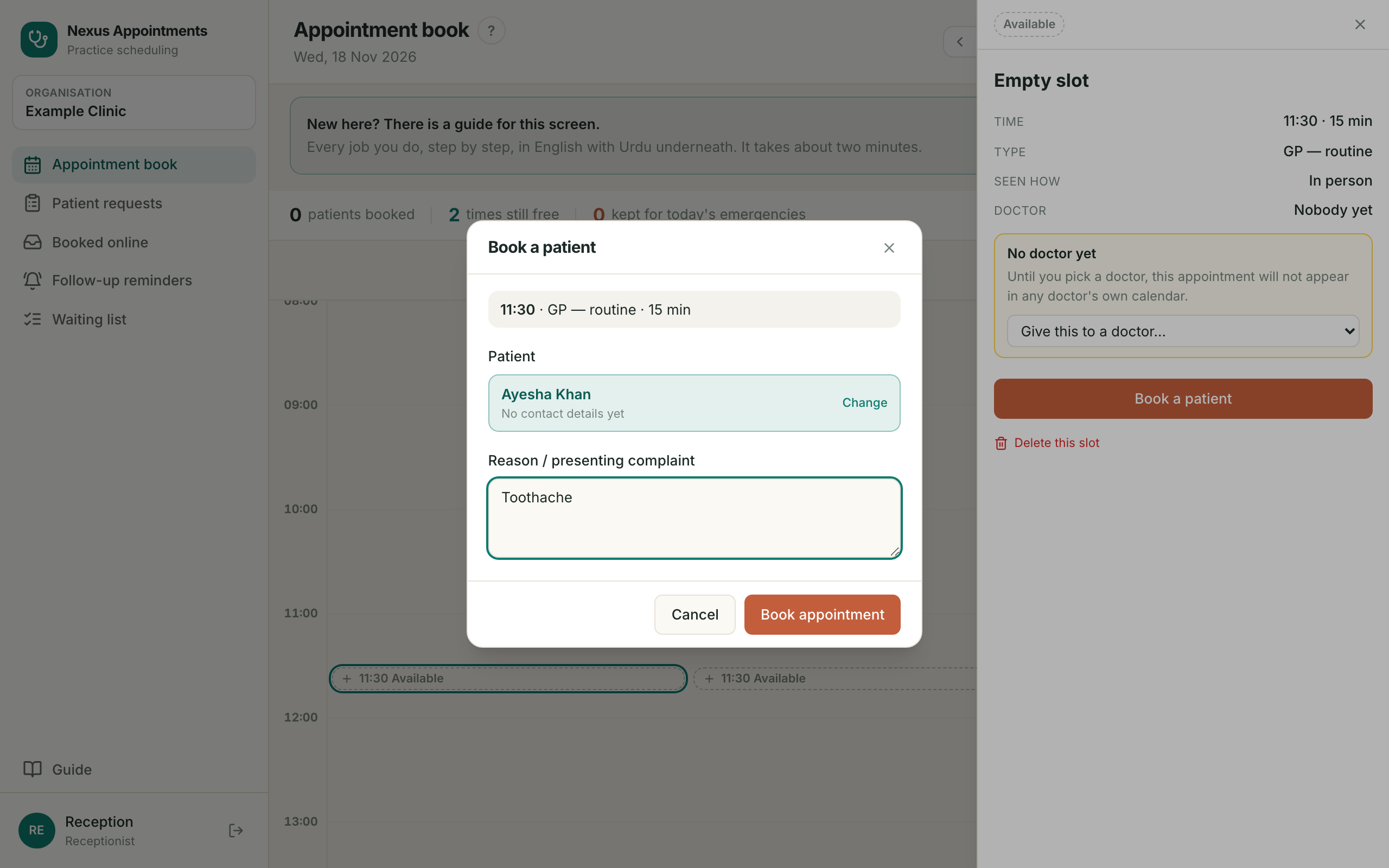
6. The booking is made بُکنگ ہو گئی
- ?The time now carries the patient’s nameاب اس وقت پر مریض کا نام ہے
- 1Click it any time to see or change itدیکھنے یا بدلنے کے لیے کلک کریں
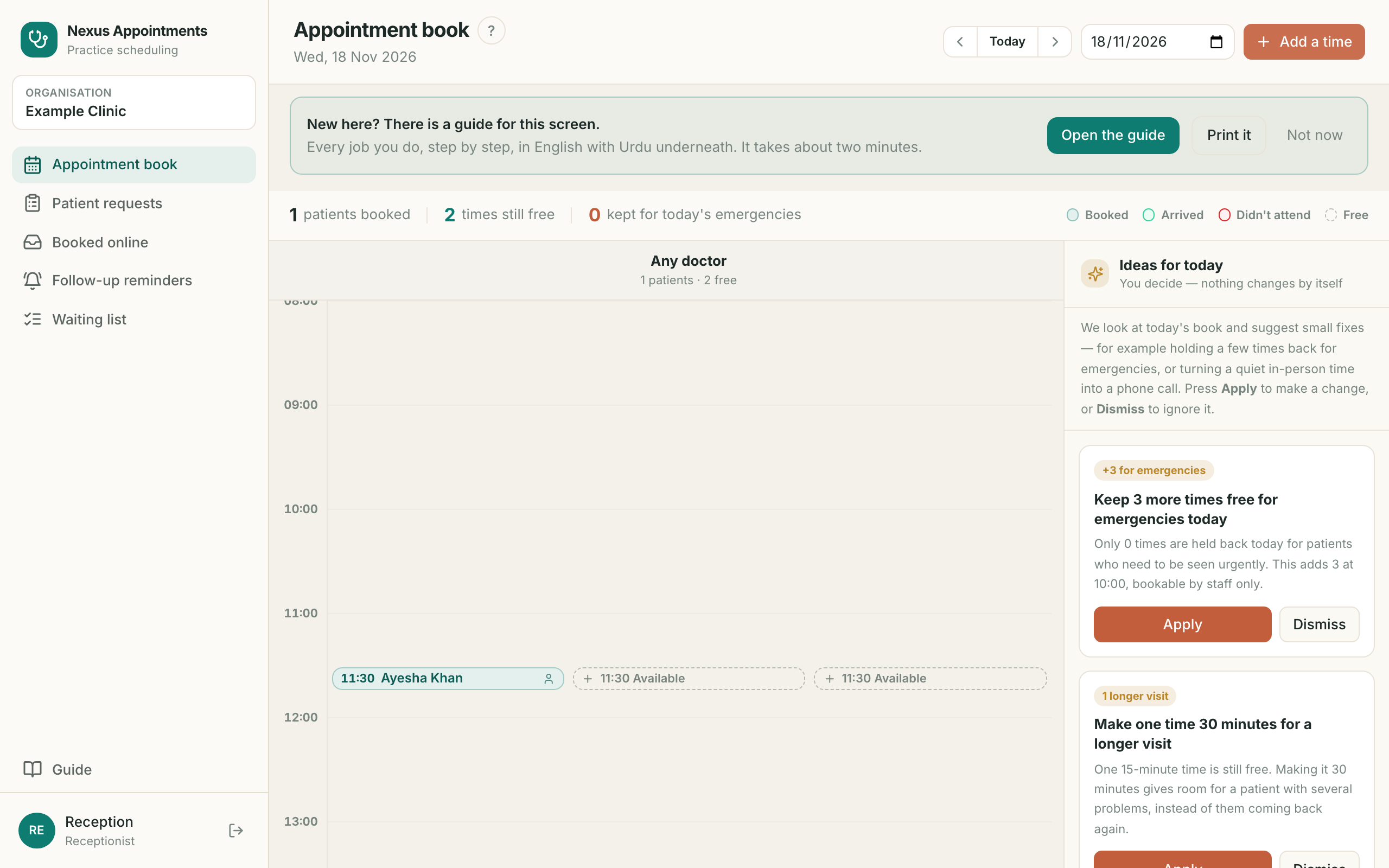
7. Cancel an appointment اپائنٹمنٹ منسوخ کریں
- ?For freeing a time when somebody cannot comeجب کوئی نہ آ سکے تو وقت خالی کرنے کے لیے
- 1Click the appointment, then Cancel appointmentاپائنٹمنٹ پر کلک کریں، پھر Cancel appointment
- 2Write the reason — the patient can read itوجہ لکھیں — مریض اسے پڑھ سکتا ہے
- 3Press Confirm cancelConfirm cancel دبائیں
8. After cancelling منسوخی کے بعد
- ?The time goes back on offer straight awayوہ وقت فوراً دوبارہ دستیاب ہو جاتا ہے
- 1The cancelled card stays beside it as a recordمنسوخ شدہ کارڈ ریکارڈ کے طور پر ساتھ رہتا ہے
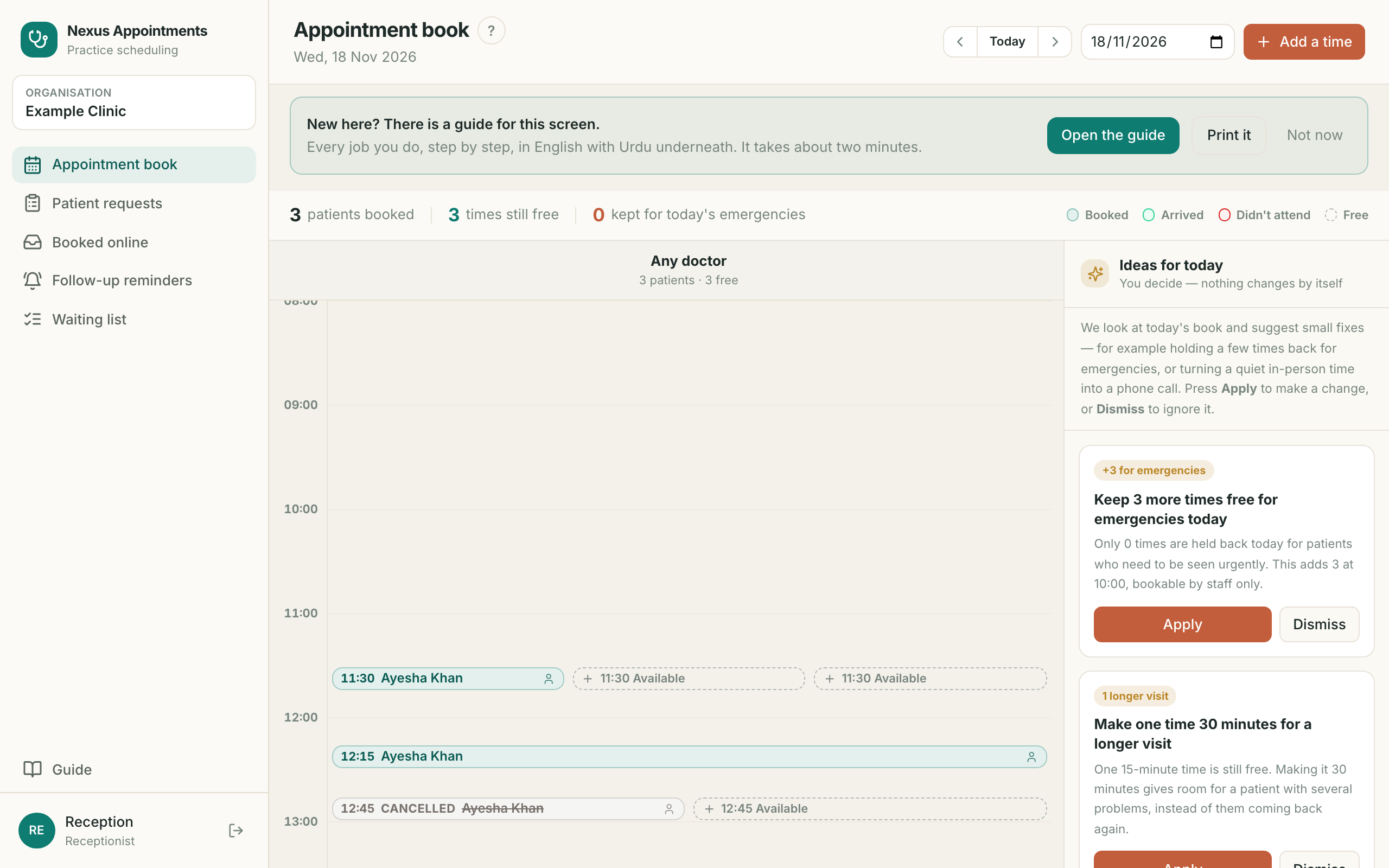
9. Patient requests مریضوں کی درخواستیں
- ?For problems people ring in with, before they are a bookingان مسائل کے لیے جو فون پر آتے ہیں، بُکنگ سے پہلے
- 1In queue means nobody has dealt with it yetIn queue یعنی ابھی کسی نے نہیں دیکھا
- 2The red number in the menu counts what is waitingمینو میں سرخ نمبر باقی درخواستیں گنتا ہے
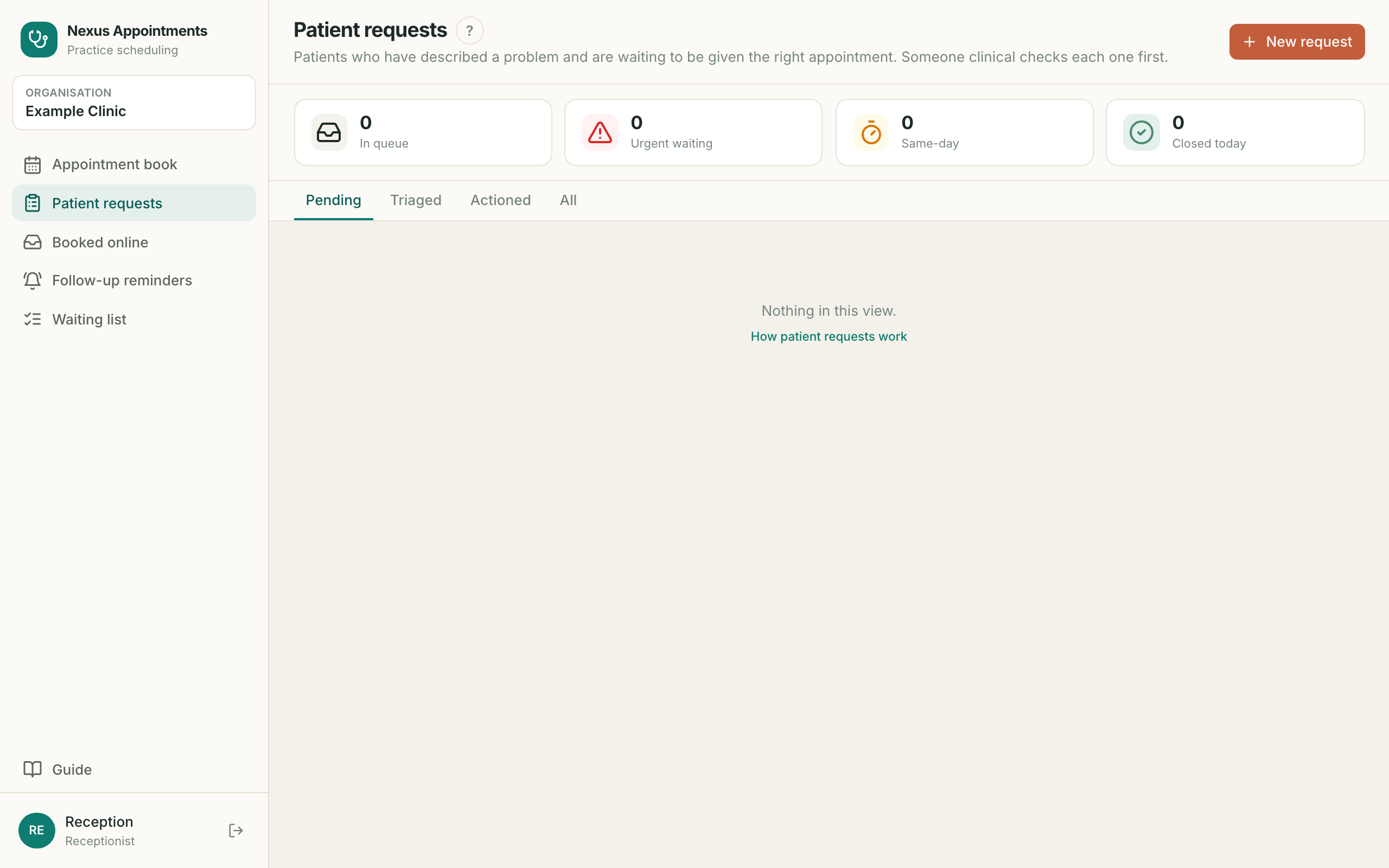
10. Take a request at the desk ڈیسک پر درخواست لیں
- ?For writing down a problem when there is no free time to bookجب بُکنگ کے لیے وقت نہ ہو تو مسئلہ لکھنے کے لیے
- 1Press New requestNew request دبائیں
- 2Write the problem in the patient’s own wordsمریض کے اپنے الفاظ میں مسئلہ لکھیں
- 3Add how they contacted you and their phone, then Add to queueرابطے کا ذریعہ اور فون لکھیں، پھر Add to queue
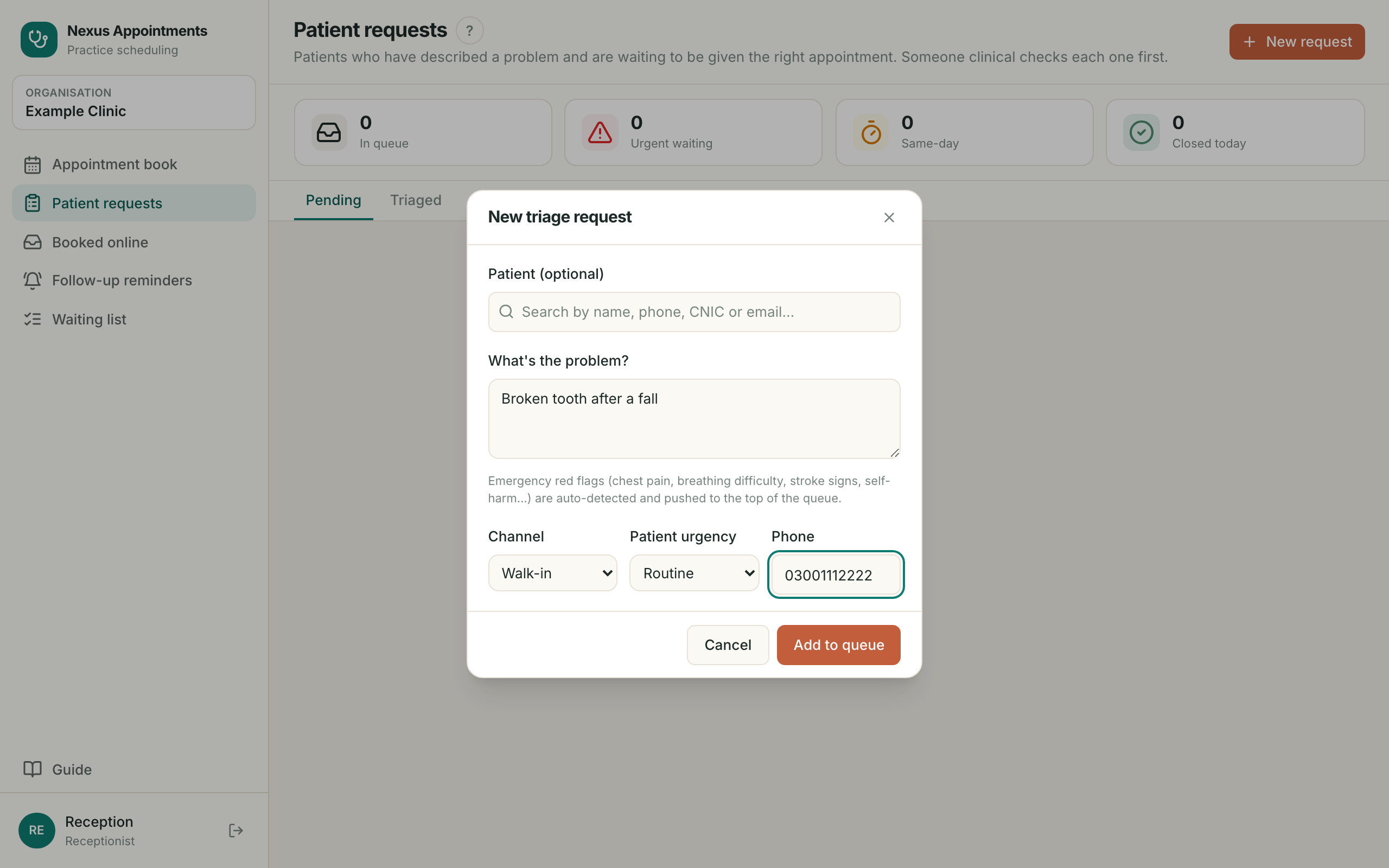
11. It lands in the queue درخواست قطار میں
- ?Now it is somebody’s job, not a note on paperاب یہ کسی کی ذمہ داری ہے، کاغذ کا نوٹ نہیں
- 1Unregistered patient means they have no record yetUnregistered patient یعنی ابھی ان کا ریکارڈ نہیں
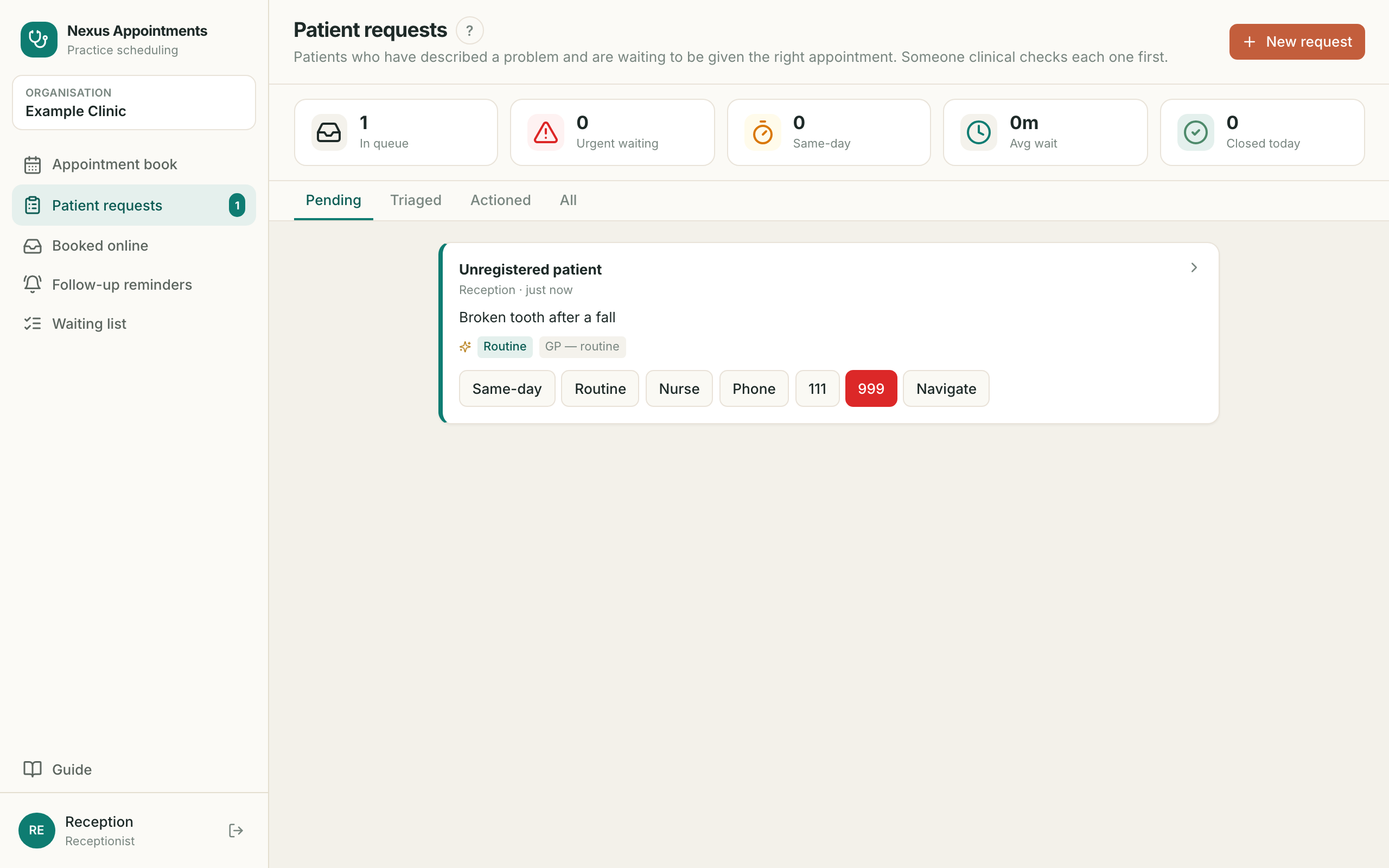
12. Emergencies are flagged for you ایمرجنسی خود نمایاں
- ?A safety net: dangerous words are spotted the moment you saveحفاظتی نظام: خطرناک الفاظ محفوظ کرتے ہی پہچان لیے جاتے ہیں
- 1Instant word-spotting, NOT AI — it never waits on a computerفوری لفظ شناسی ہے، AI نہیں — کبھی تاخیر نہیں کرتی
- 2EMERGENCY in red means show a practitioner NOWسرخ EMERGENCY کا مطلب ابھی معالج کو دکھائیں
- 3Never leave a red one sitting in the queueسرخ درخواست قطار میں نہ چھوڑیں
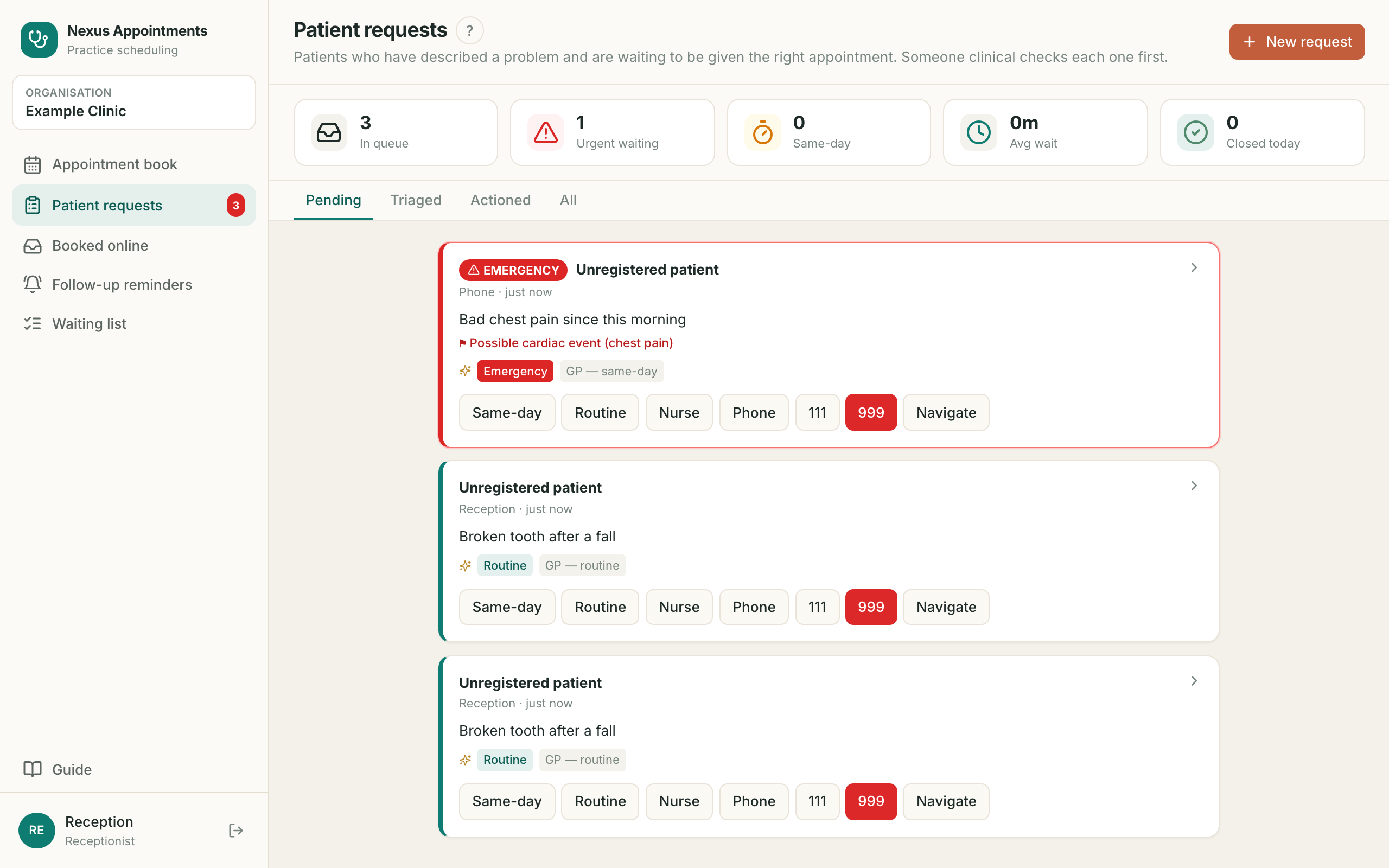
13. Decide what happens فیصلہ کریں
- ?For recording what was decided, so the next person knowsفیصلہ ریکارڈ کرنے کے لیے تاکہ اگلے کو معلوم ہو
- 1Press the decision on the card — Routine, Urgent and so onکارڈ پر فیصلہ دبائیں — Routine، Urgent وغیرہ
- 2It moves to Triaged with the decision written on itیہ Triaged میں چلی جاتی ہے، فیصلہ لکھا ہوتا ہے
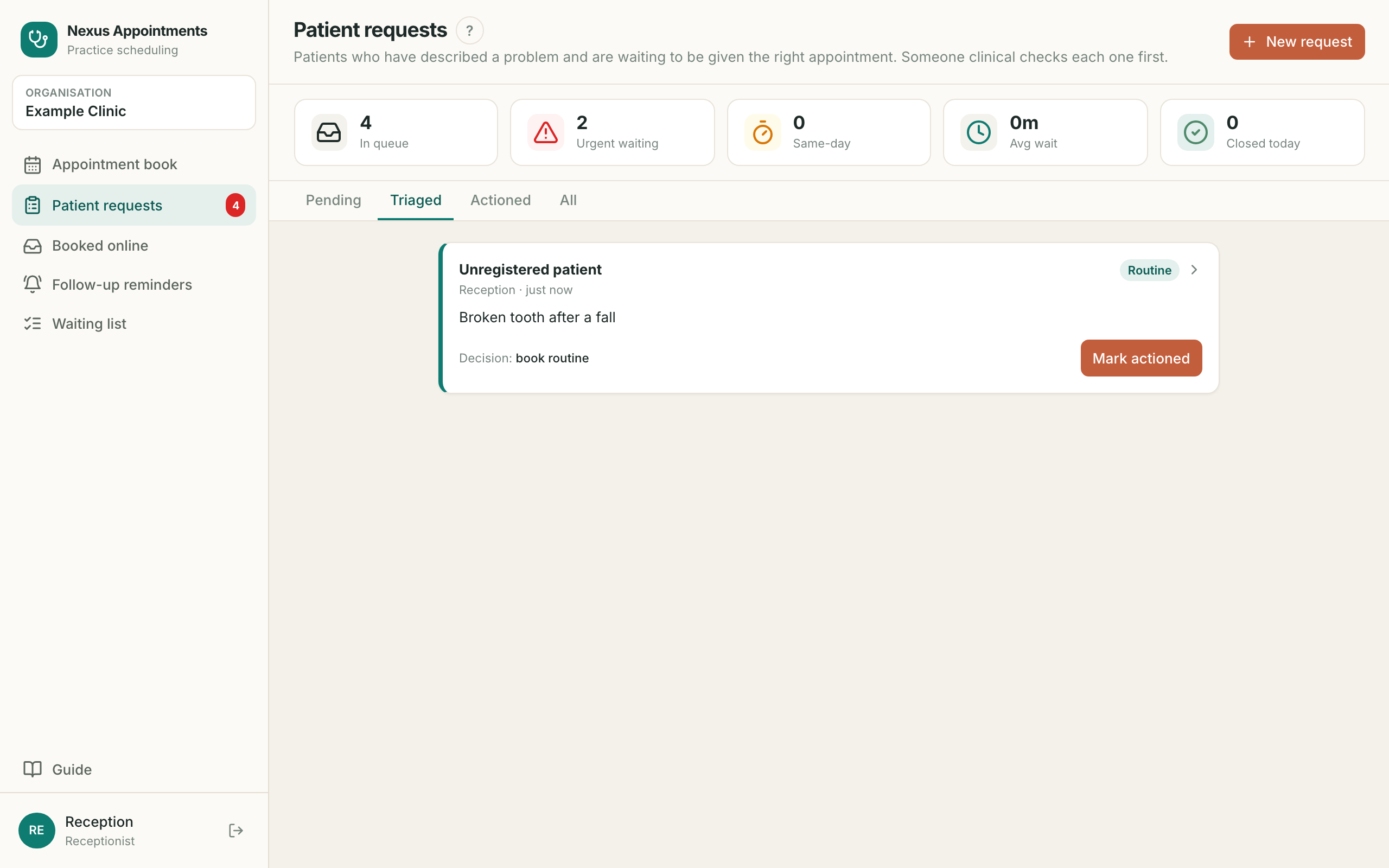
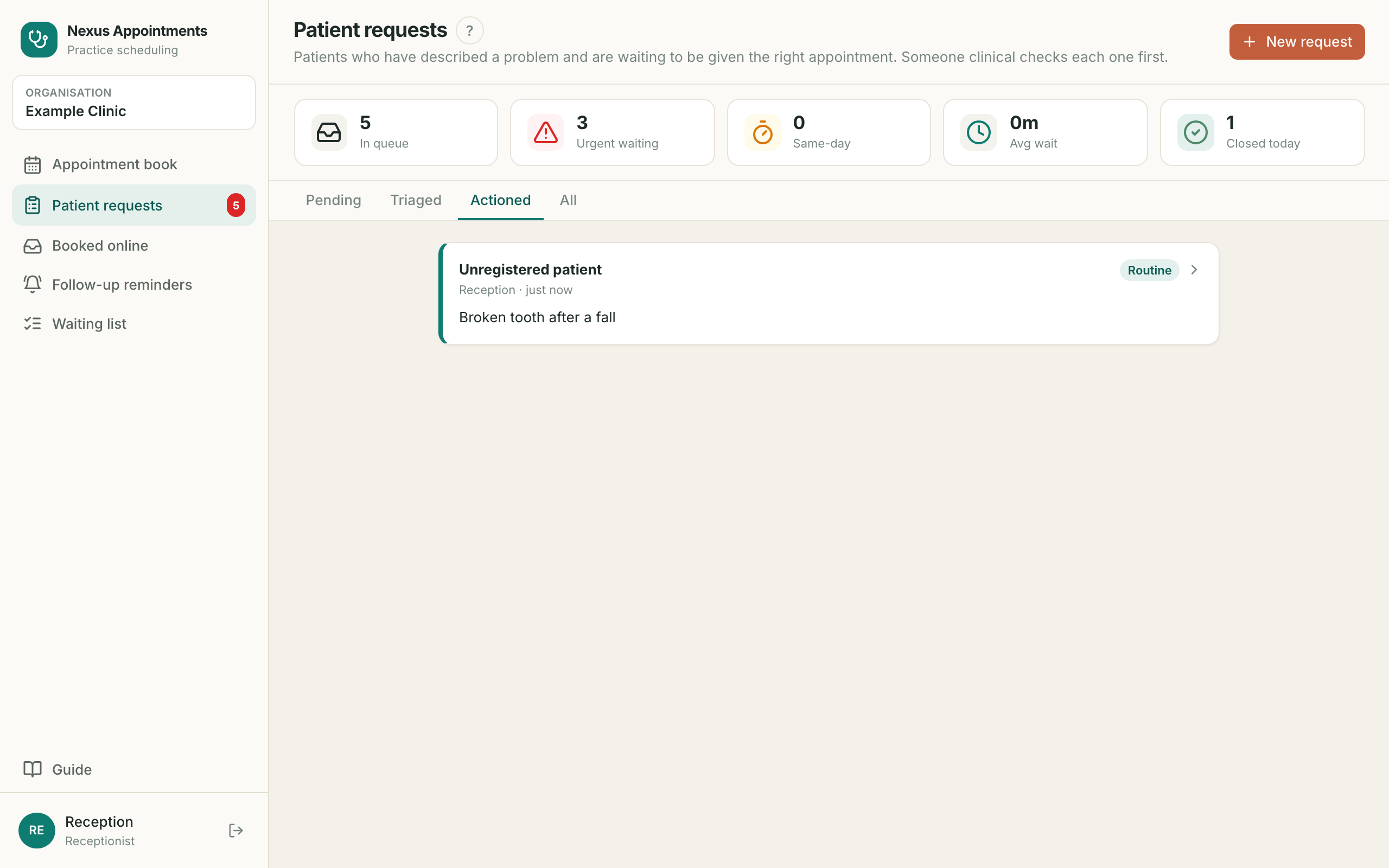
14. Close it off مکمل کریں
- ?For clearing your queue once the patient is dealt withمریض کا کام مکمل ہونے پر قطار صاف کرنے کے لیے
- 1Press Mark actionedMark actioned دبائیں
- 2It leaves the queue but is never deleted — find it under Actionedقطار سے نکلتی ہے مگر حذف نہیں ہوتی — Actioned میں ملے گی
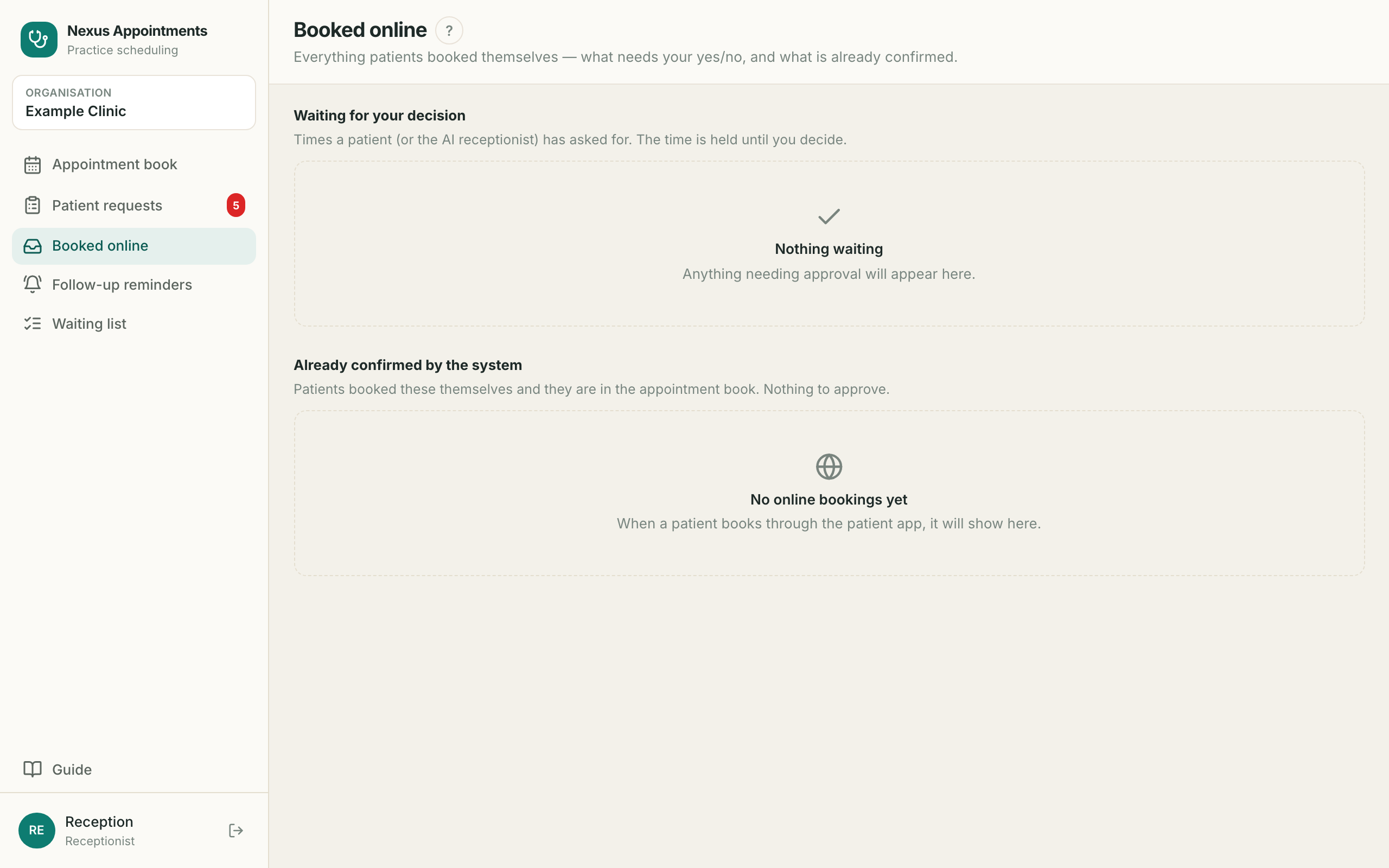
15. Booked online آن لائن بُکنگ
- ?For appointments patients made themselves, without ringing youان بُکنگ کے لیے جو مریض نے خود کیں
- 1Waiting for your decision — the time is held until you say yesآپ کے فیصلے کے منتظر — وقت روکا ہوا ہے
- 2Already confirmed — it is in the book, nothing to doتصدیق شدہ — بُک میں شامل، کچھ نہیں کرنا
- 3Patient online means they booked it, not youPatient online یعنی مریض نے خود بُک کیا
16. Follow-up reminders فالو اپ یاد دہانیاں
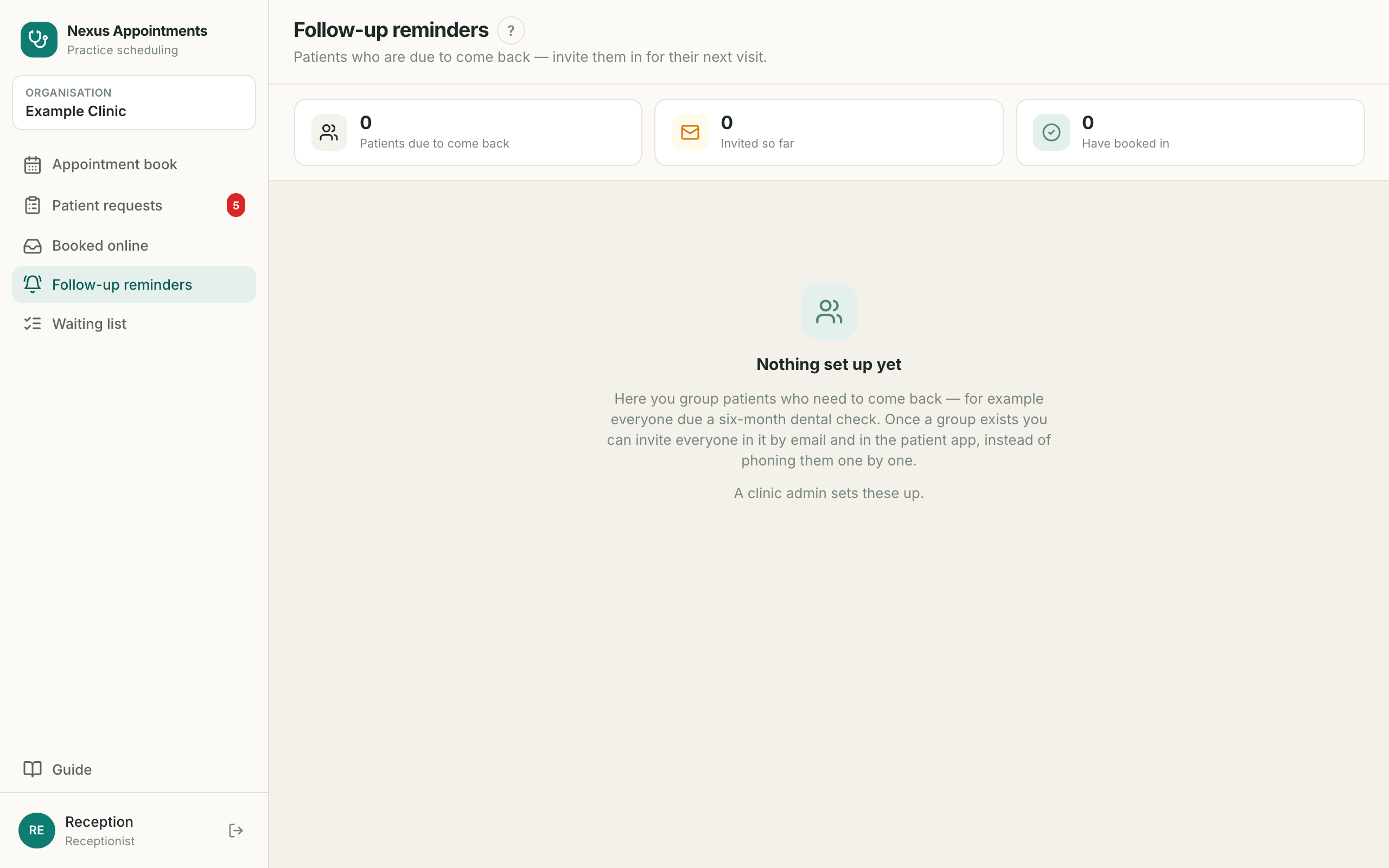
- ?For bringing patients back when they are due — six-month check-ups and the likeمریضوں کو مقررہ وقت پر واپس بلانے کے لیے
- 1Patients are grouped by what they are due forمریض ضرورت کے مطابق گروپ میں ہوتے ہیں
- 2Work down the list and ring themفہرست کے مطابق فون کریں
- 3A greyed-out switch is an admin’s to change, not yoursغیر فعال سوئچ ایڈمن کے لیے ہے، آپ کے لیے نہیں
17. Ideas for todayAI آج کے مشورے
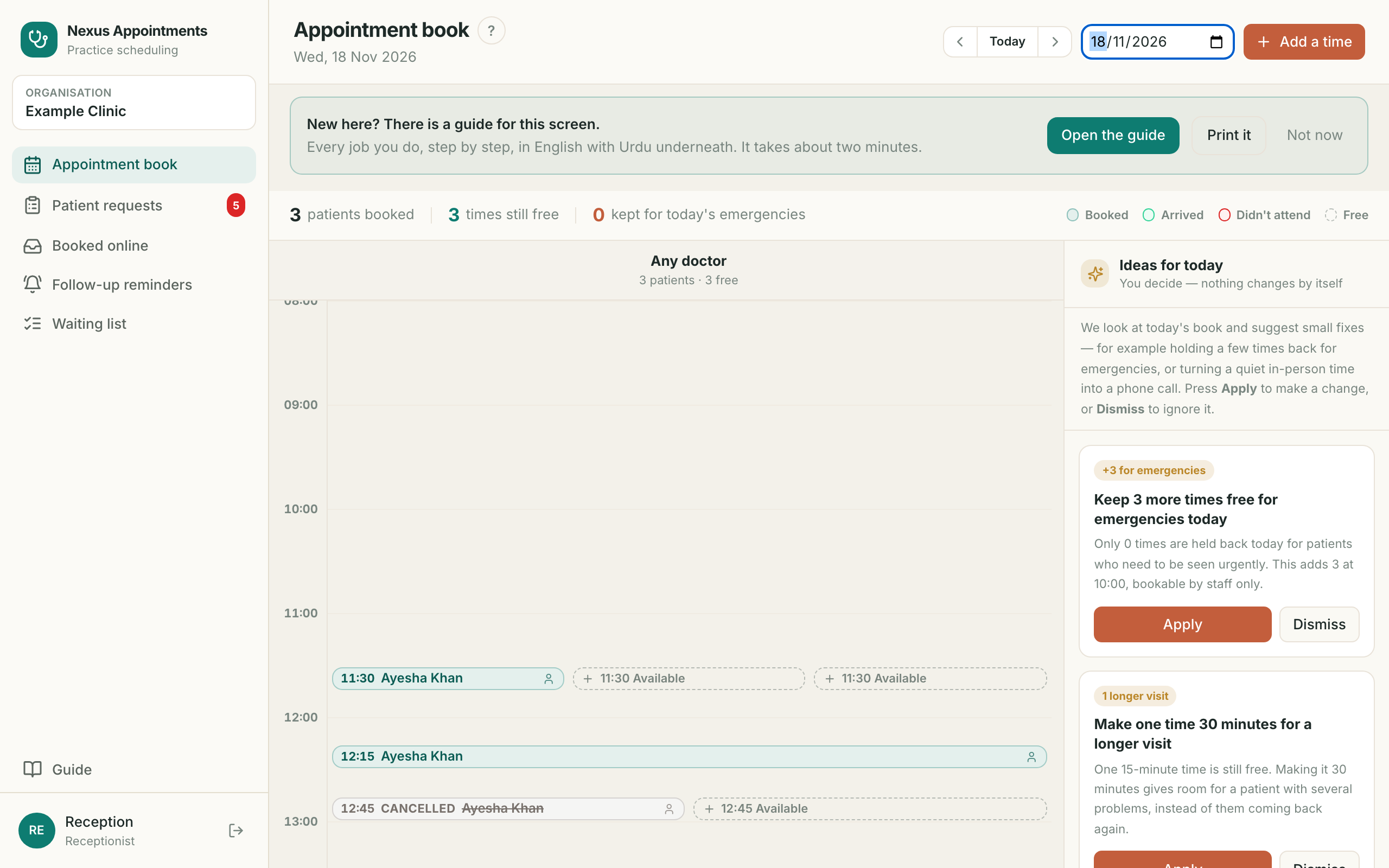
- ?AI reads today’s book and suggests small fixes — holding times for emergencies, or a longer visitAI آج کی بُک دیکھ کر چھوٹے مشورے دیتا ہے
- 1Nothing changes by itself. You press Apply or Dismissخود کچھ نہیں بدلتا۔ آپ Apply یا Dismiss دبائیں
- 2A suggestion never moves a patient who is already bookedمشورہ کبھی بُک شدہ مریض کو نہیں ہٹاتا
- 3Every change is recorded and can be undoneہر تبدیلی ریکارڈ ہوتی ہے اور واپس ہو سکتی ہے
18. Waiting list انتظار کی فہرست
- ?For patients who want an earlier time than you can offerان مریضوں کے لیے جو جلدی وقت چاہتے ہیں
- 1Nothing free? Add the patient hereکوئی وقت خالی نہ ہو تو یہاں شامل کریں
- 2When a cancellation frees a time, this tells you who to ringمنسوخی سے وقت خالی ہو تو یہ بتائے گی کسے فون کرنا ہے