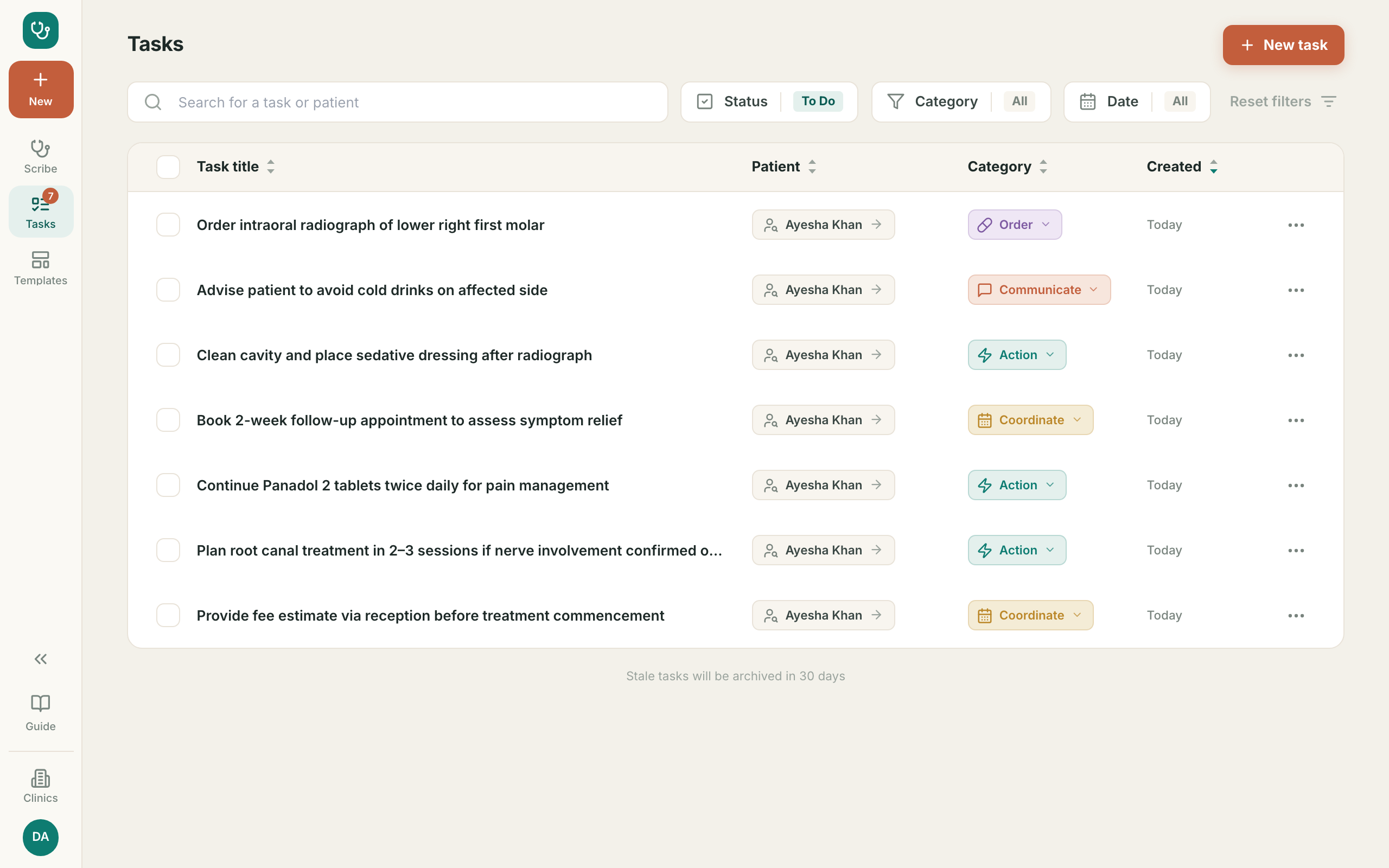
1. Your workspace آپ کی اسکرین
- ?One screen per patient: what they said, and the note it becomesایک مریض، ایک اسکرین: گفتگو اور اس سے بنا نوٹ
- 1Open app.nexushealth.org.uk/pkاس پتے پر جائیں
- 2Booked patients appear on the leftبُک شدہ مریض بائیں طرف
- 3Press New for a patient who was not bookedبغیر بُکنگ والے مریض کے لیے New دبائیں
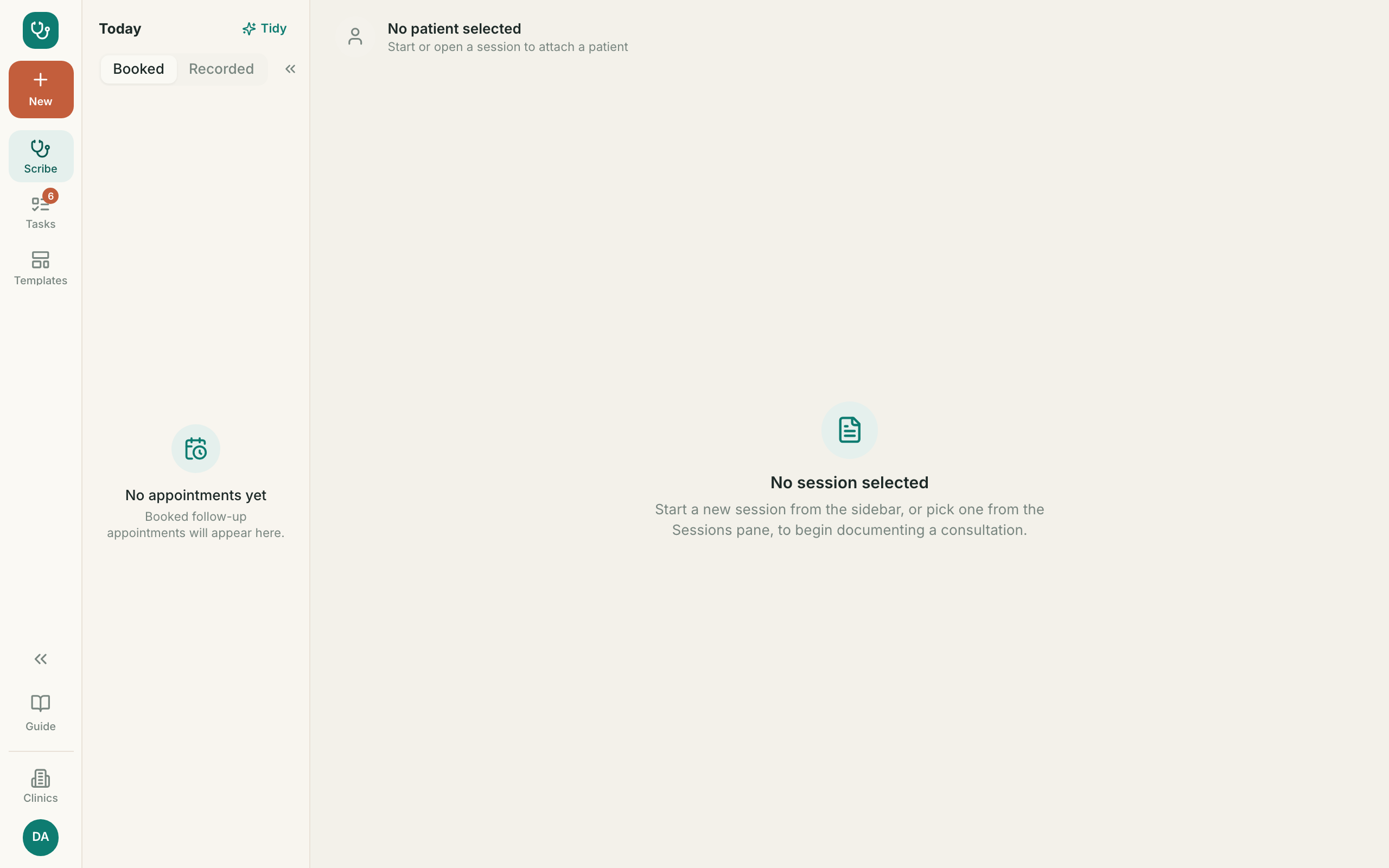
2. Two ways to capture the visit وزٹ محفوظ کرنے کے دو طریقے
- ?Mic records the conversation — Urdu is understood. Type lets you write it insteadMic گفتگو ریکارڈ کرتا ہے — اردو سمجھی جاتی ہے۔ Type میں خود لکھ سکتے ہیں
- 1Audio is never stored — only the words are keptآواز محفوظ نہیں ہوتی — صرف الفاظ رکھے جاتے ہیں
- 2Tell the patient they are being recorded, every timeہر بار مریض کو بتائیں کہ ریکارڈنگ ہو رہی ہے
- 3Press Save transcript when you are doneمکمل ہونے پر Save transcript دبائیں
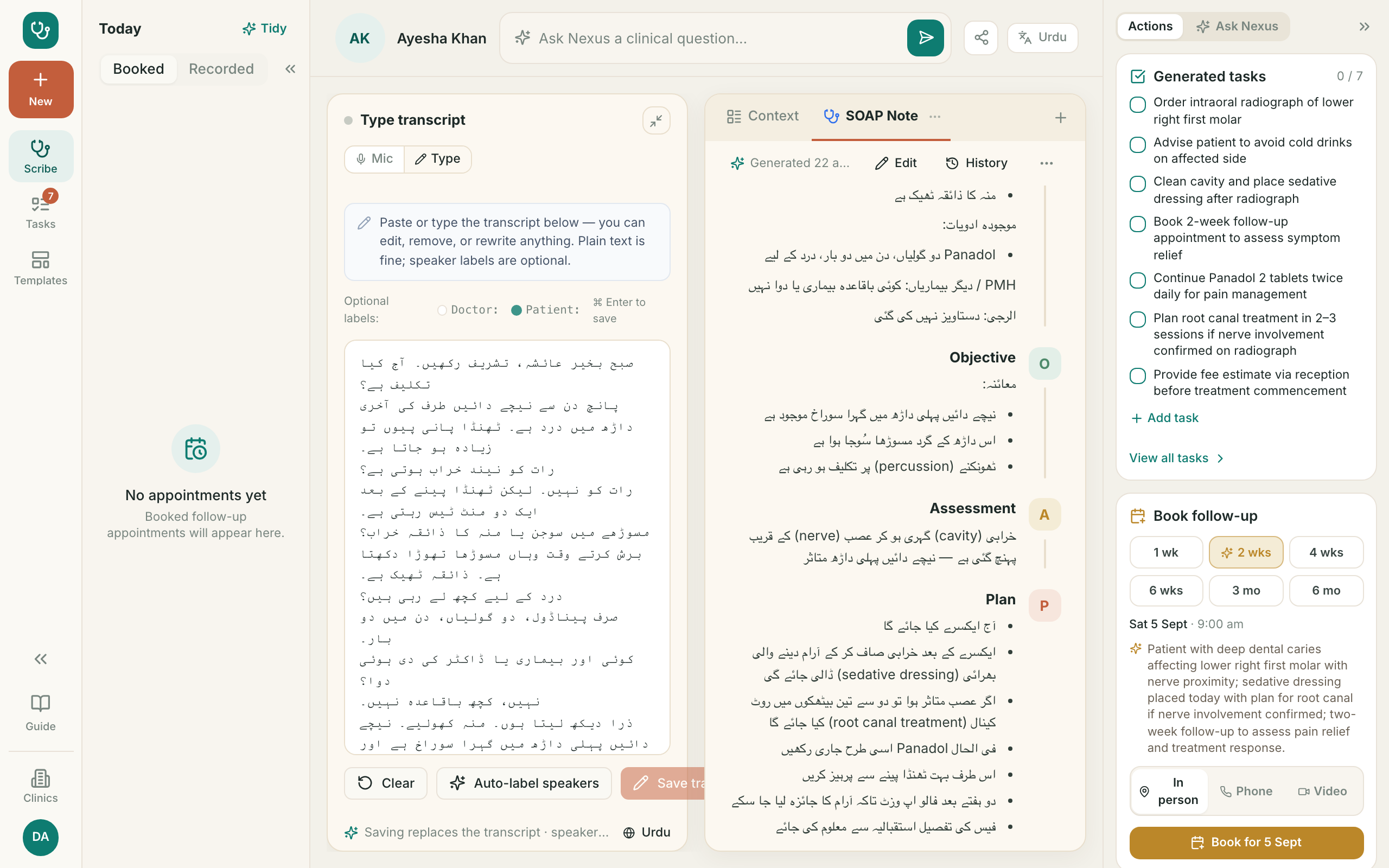
3. Label who was speakingAI بولنے والے کی شناخت
- ?AI marks which lines are yours and which are the patient’sAI بتاتا ہے کون سی بات آپ کی ہے اور کون سی مریض کی
- 1Press Auto-label speakersAuto-label speakers دبائیں
- 2Read it — correct any line it got wrong before savingپڑھ لیں — غلط لائن درست کریں
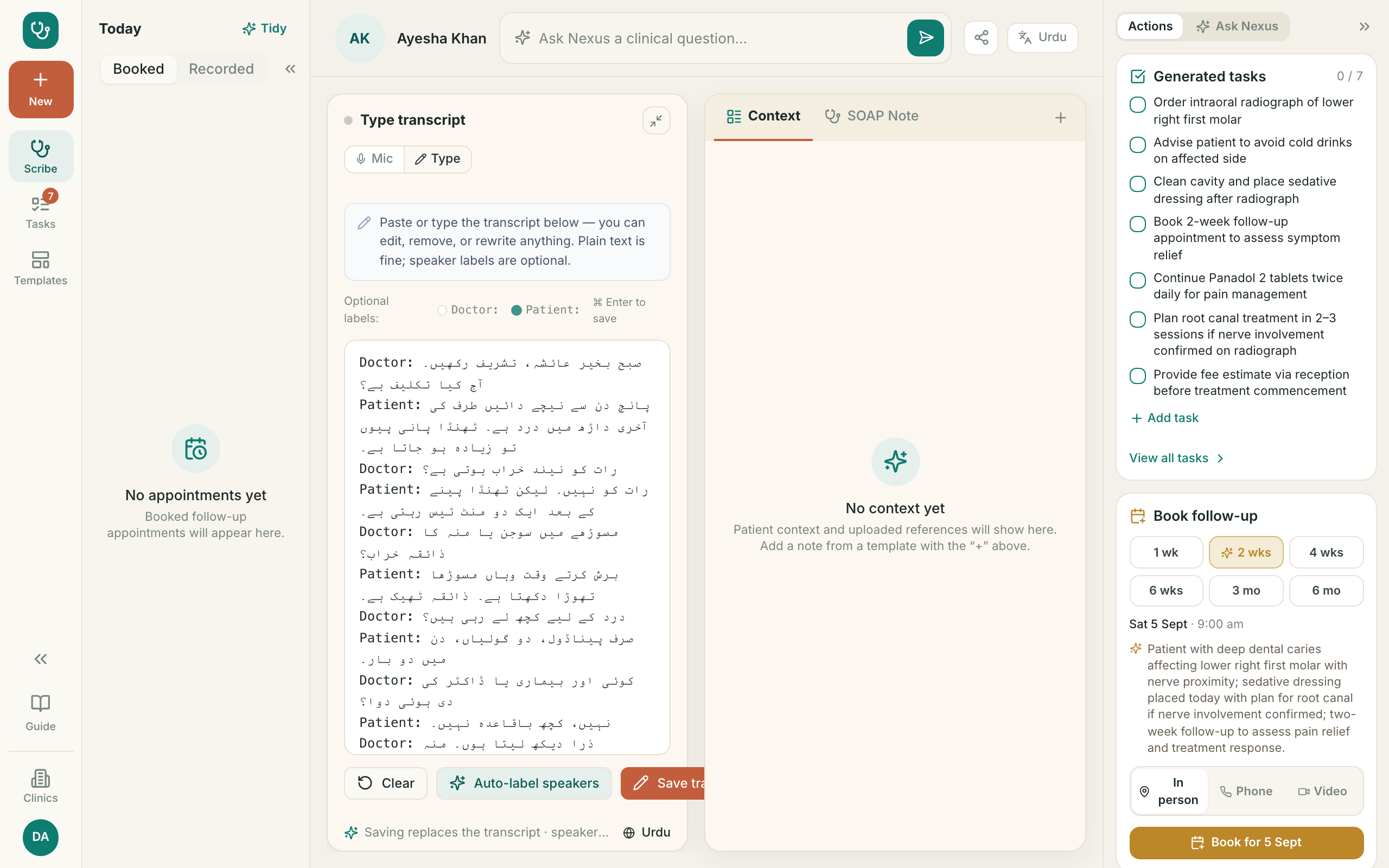
4. The note writes itselfAI نوٹ خود بن جاتا ہے
- ?AI turns the conversation into a clinical note — in the language you choseAI گفتگو کو آپ کی منتخب کردہ زبان میں نوٹ بنا دیتا ہے
- 1It only uses what was said. It does not invent findingsیہ صرف کہی ہوئی بات استعمال کرتا ہے
- 2READ IT BEFORE YOU ACCEPT IT. The note is yoursقبول کرنے سے پہلے پڑھیں۔ نوٹ آپ کا ہے
- 3Press Edit to change it, or Regenerate to try againتبدیلی کے لیے Edit، دوبارہ کے لیے Regenerate
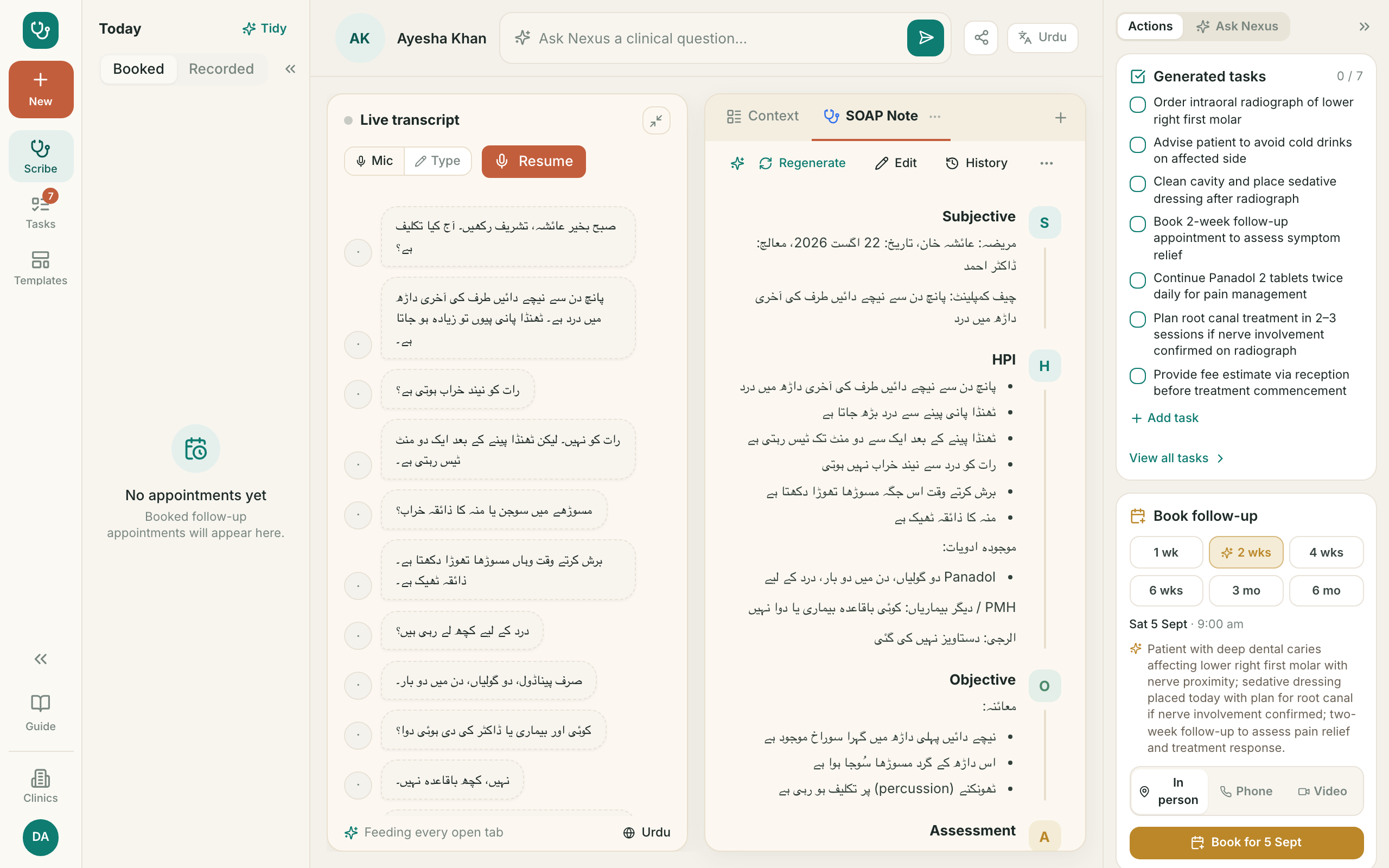
5. Nothing is lost when you regenerate دوبارہ بنانے پر کچھ ضائع نہیں ہوتا
- ?For going back to an earlier version of the noteنوٹ کے پرانے نسخے پر واپس جانے کے لیے
- 1Press History to see every versionHistory دبائیں تاکہ تمام نسخے دیکھیں
- 2Generated tells you when the note was writtenGenerated بتاتا ہے نوٹ کب بنا
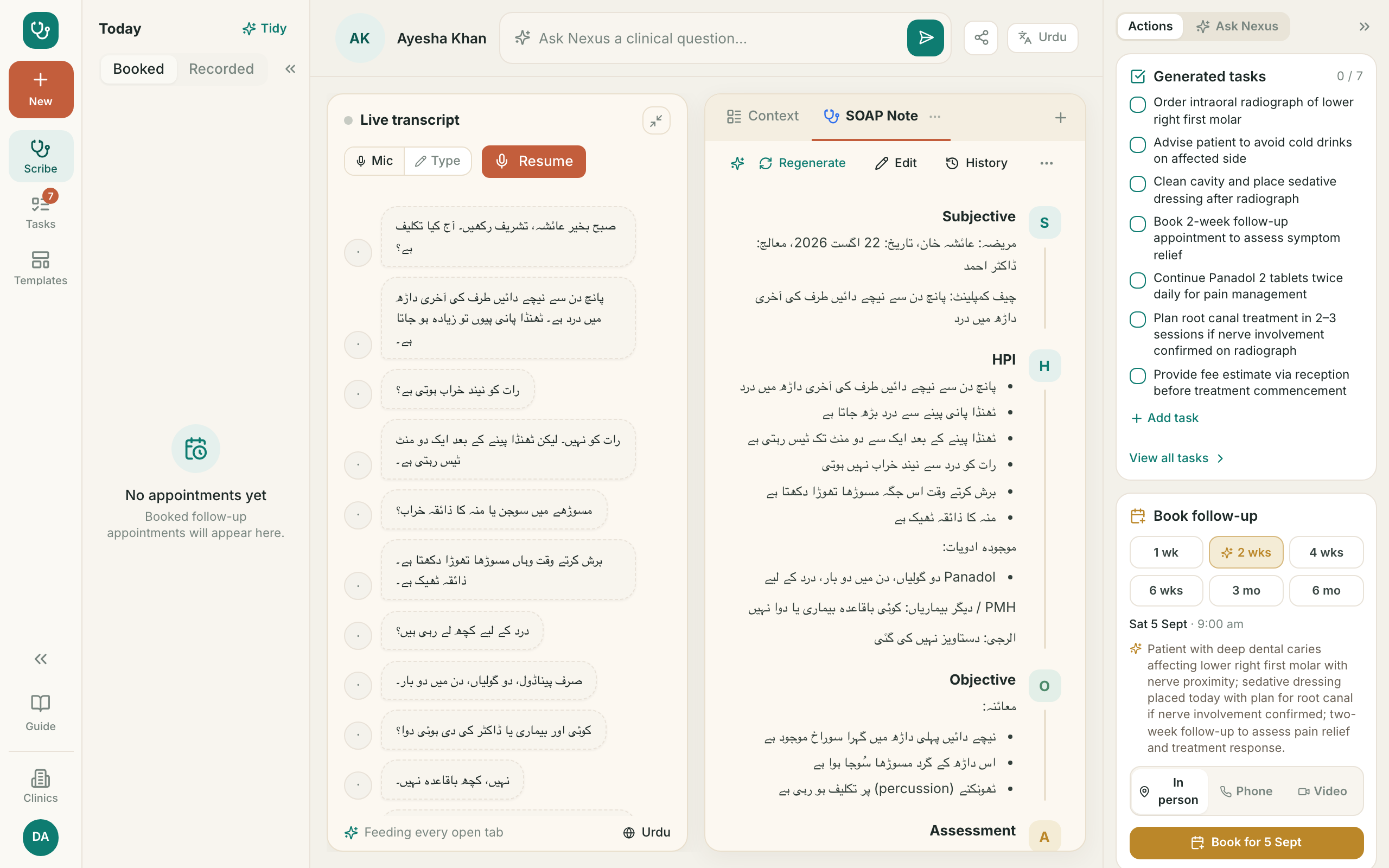
6. Jobs pulled out of the visitAI وزٹ سے نکالے گئے کام
- ?AI pulls the things to do out of the note so nothing is forgottenAI نوٹ سے کام نکال دیتا ہے تاکہ کچھ نہ بھولے
- 1Tick them off as you do themکام کرتے جائیں اور نشان لگائیں
- 2Add anything it missed with Add taskچھوٹ جائے تو Add task سے شامل کریں
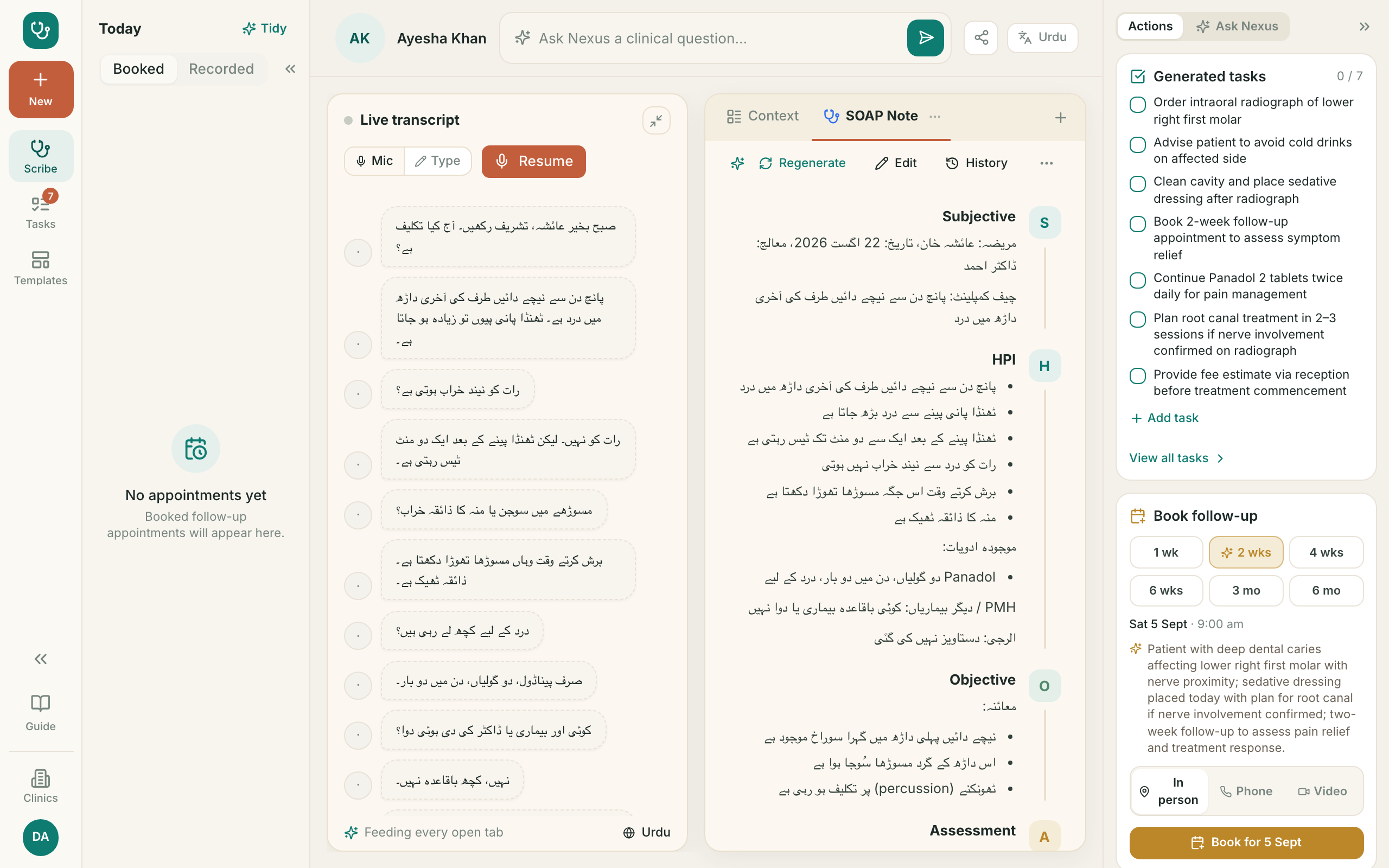
7. The follow-up it suggestsAI تجویز کردہ فالو اپ
- ?AI proposes when to see the patient again, and says whyAI بتاتا ہے مریض کو دوبارہ کب بلانا ہے، اور کیوں
- 1The highlighted gap is its suggestion — pick another if you preferنمایاں وقت اس کی تجویز ہے — آپ کوئی اور چن سکتے ہیں
- 2Nothing is booked until you press Bookجب تک Book نہ دبائیں، بُکنگ نہیں ہوتی
8. Ask Nexus — what it is forAI Ask Nexus کیا ہے
- ?A clinical question box: guidelines, doses, optionsکلینیکل سوالات کے لیے: گائیڈ لائن، خوراک، آپشنز
- 1It knows medicine. It does NOT know this patient unless you tell itیہ طب جانتا ہے، مریض کو نہیں
- 2Use the shortcuts — Look up, Work up, Treat — or just typeشارٹ کٹ استعمال کریں یا سیدھا سوال لکھیں
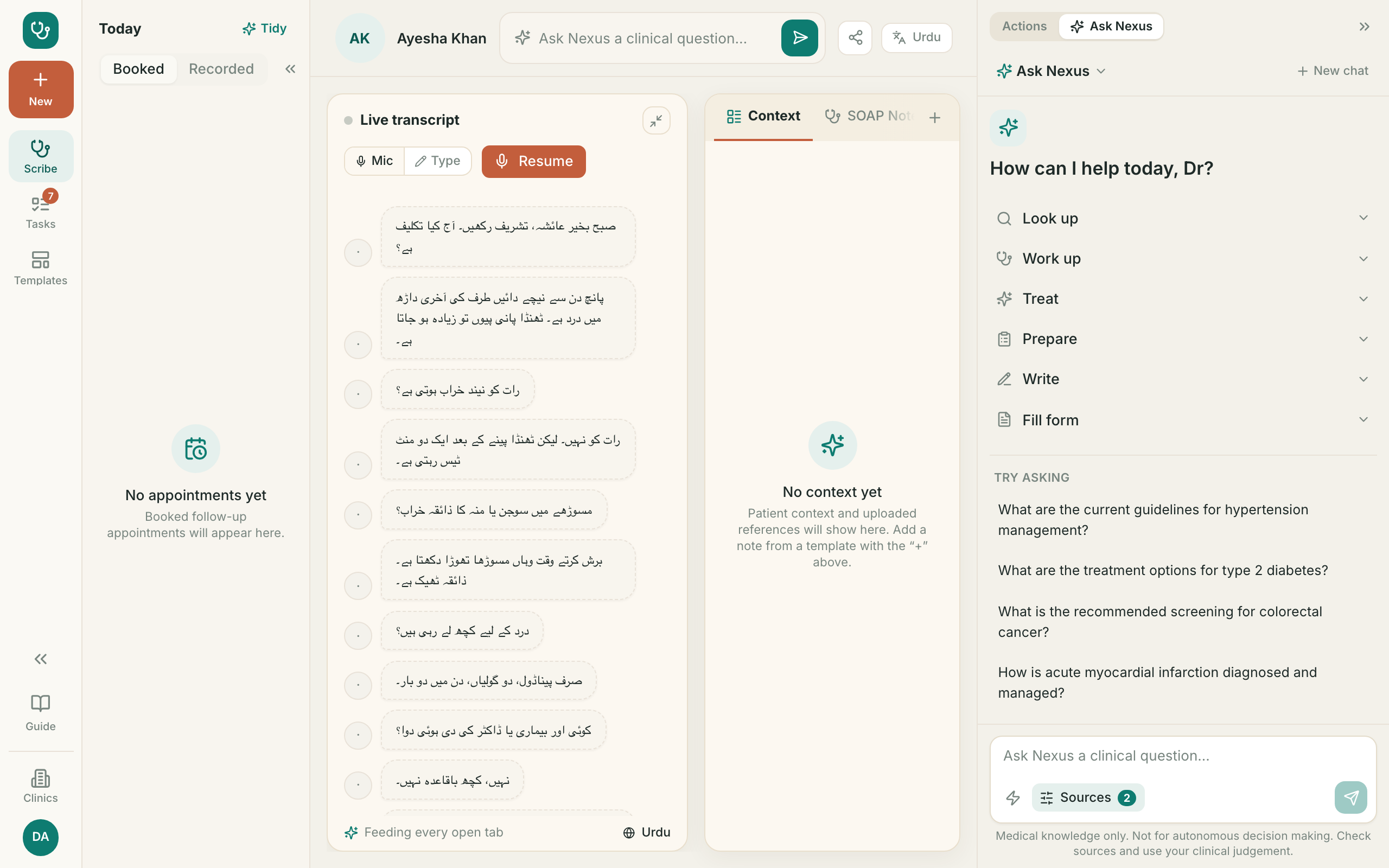
9. Ask Nexus — an answerAI Ask Nexus کا جواب
- ?Answers come with sources you can checkجواب کے ساتھ حوالہ جات ہوتے ہیں
- 1It is decision SUPPORT. The decision stays yoursیہ صرف مدد ہے۔ فیصلہ آپ کا ہے
- 2Never paste an answer into a note without reading itبغیر پڑھے جواب نوٹ میں نہ ڈالیں
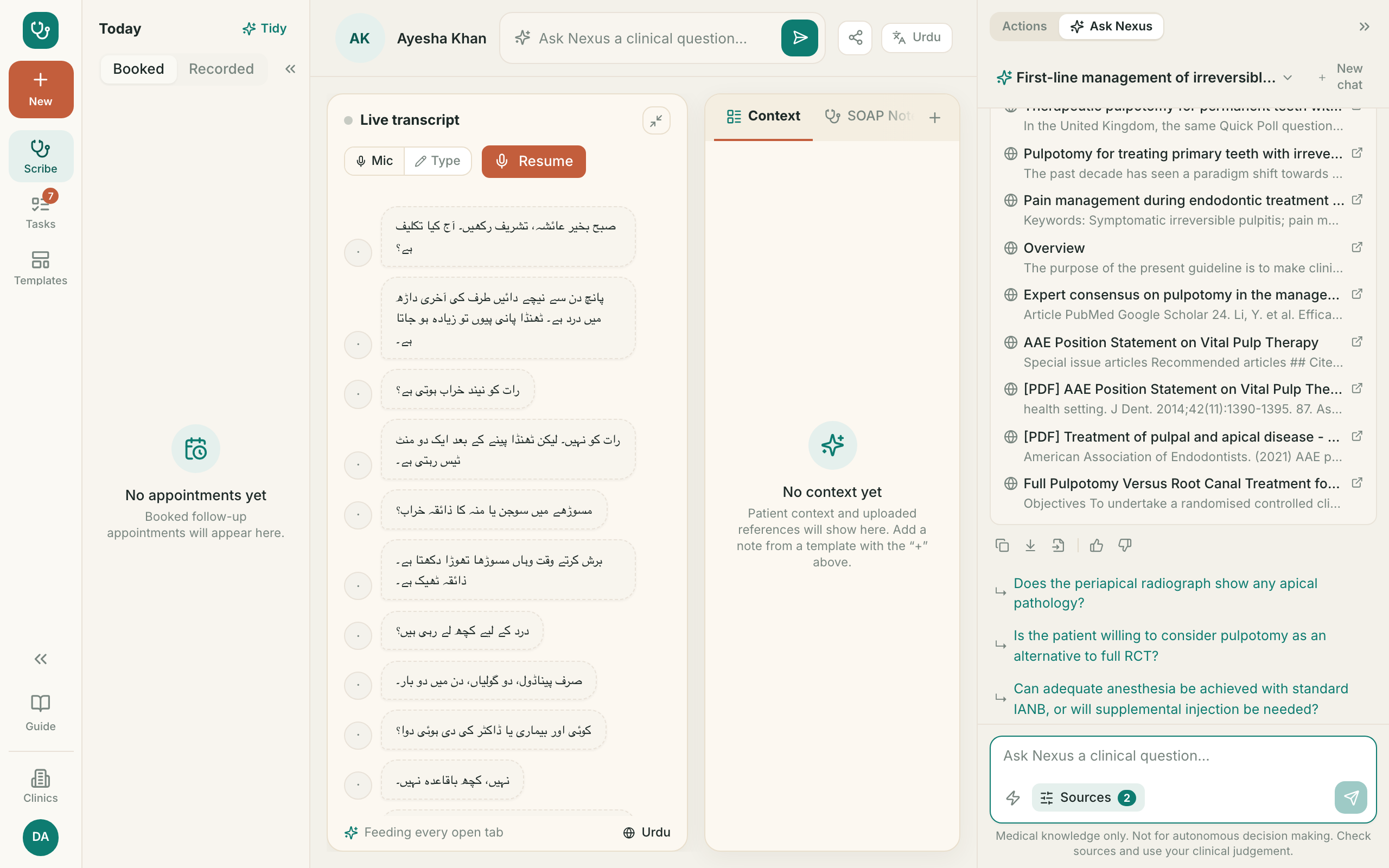
10. Working languageAI کام کی زبان
- ?Sets the language you speak in, and the language the note is written inیہ طے کرتا ہے کہ آپ کس زبان میں بات کرتے ہیں اور نوٹ کس زبان میں لکھا جائے
- 1Consult in Urdu and keep the note in Urdu — the screens here show exactly thatاردو میں گفتگو کریں اور نوٹ بھی اردو میں رکھیں — یہاں یہی دکھایا گیا ہے
- 2Or speak Urdu and keep the note in English. The two are set separatelyیا اردو میں بات کریں اور نوٹ انگریزی میں رکھیں۔ دونوں الگ الگ مقرر ہوتے ہیں
- 3The list of jobs and the follow-up reason stay in English for nowکاموں کی فہرست اور فالو اپ کی وجہ فی الحال انگریزی میں رہتی ہے
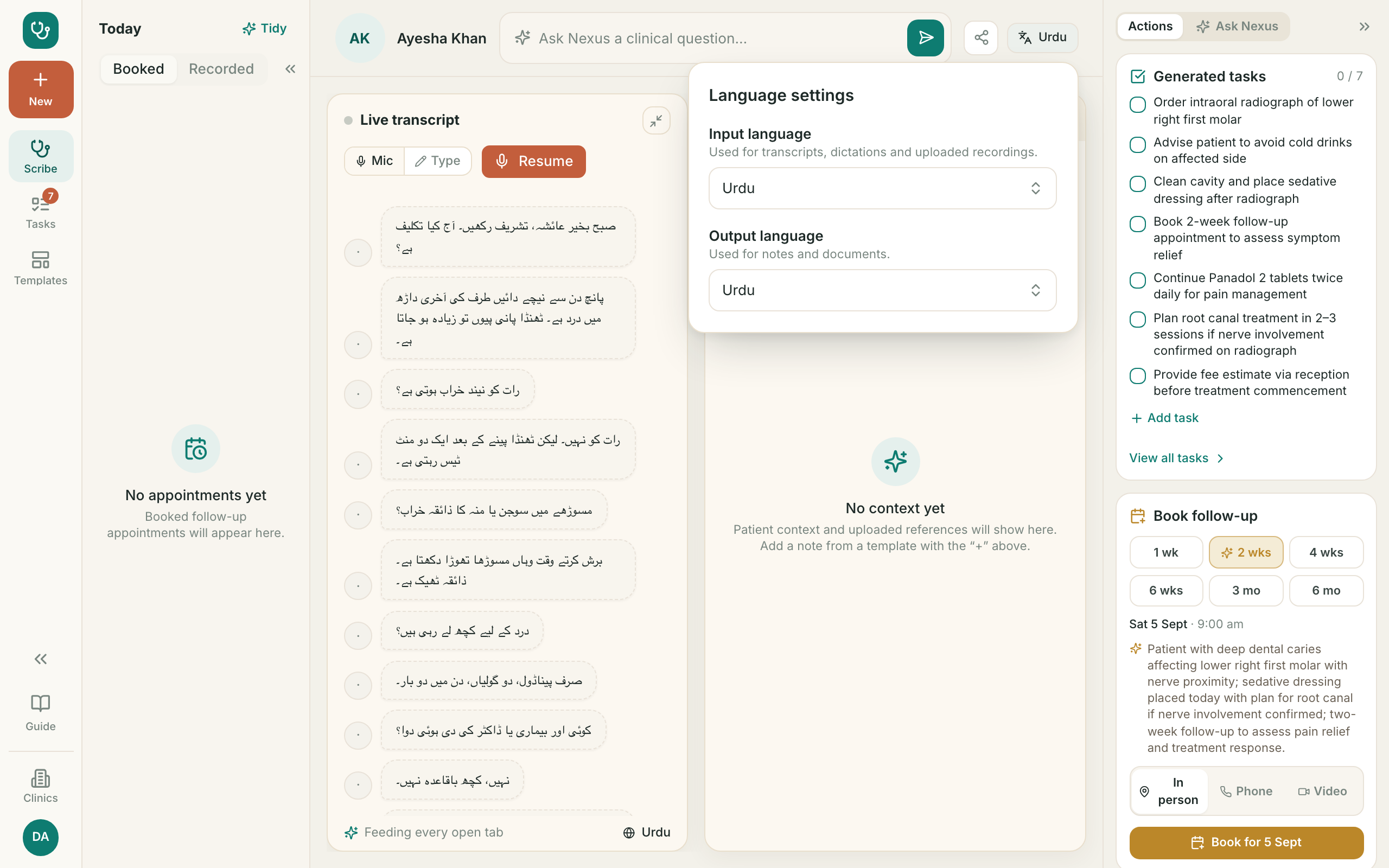
11. Templates ٹیمپلیٹس
- ?A template decides the shape of the note — headings and orderٹیمپلیٹ نوٹ کی ترتیب طے کرتا ہے
- 1Templates for your specialty are already loadedآپ کی مہارت کے ٹیمپلیٹس پہلے سے موجود ہیں
- 2Make your own under Mine — nobody else sees itاپنا ٹیمپلیٹ Mine میں بنائیں — کوئی اور نہیں دیکھتا
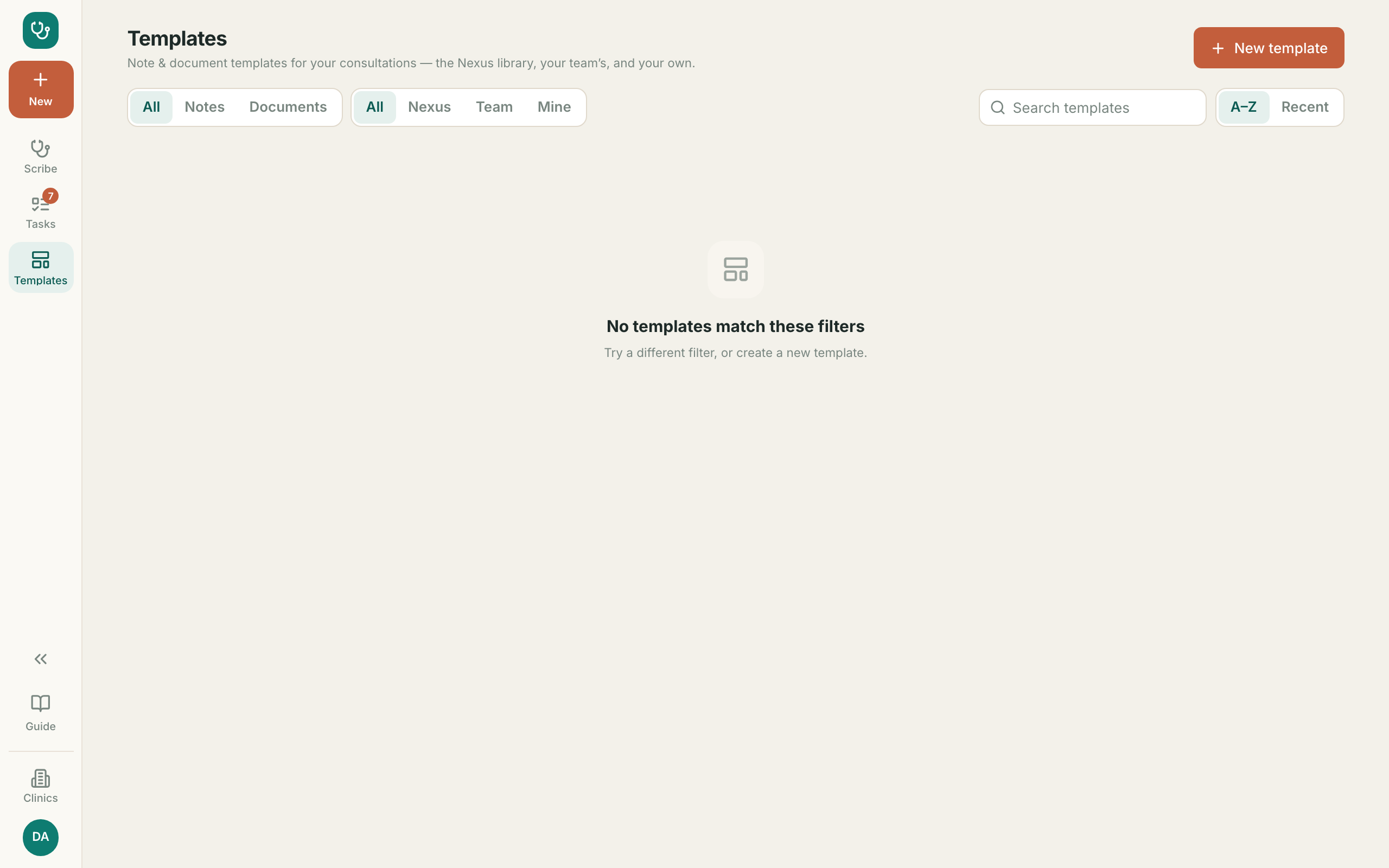
12. Your task list آپ کے کام
- ?Everything still to do, across all your patientsتمام مریضوں کے باقی کام ایک جگہ
- 1The number beside Tasks is what is outstandingTasks کے ساتھ نمبر باقی کام دکھاتا ہے
- 2Mark done, or archive what no longer mattersمکمل کریں یا غیر ضروری کو آرکائیو کریں